
 Portugues
Apprentice Wizard
Saved games stay in this browser only.
About the game
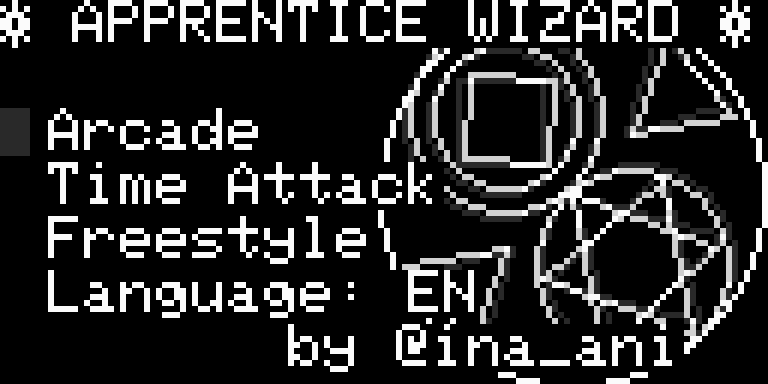
Apprentice Wizard teaches you to draw a magic circle. A pattern of shapes appears in a ring on the right side of the screen, and on the left you build the same figure yourself, one shape at a time: a square or diamond, a circle, a triangle pointing up or down, a straight line. For each one you choose the shape, the size and where it goes on the circle, then draw it, and the lines come out in a quick animation. When what you drew matches the pattern, the lesson is cleared.
The game starts gently. Lesson 1 only asks for a simple circle and explains the buttons right on the screen, and the later stages add more shapes, tighter positions and more rotations until you are layering four or five shapes into a proper circle. There are three ways to play: Arcade, which goes through the stages in order, Time Attack, which adds a clock, and Freestyle, a sketchbook where you simply draw whatever you like.
inajob, who also made the action puzzle game Poitto, wrote it for the Arduboy in 2020. The text is in English or Japanese, and you can switch the language in the menu.
Playing it here
This is a homebrew game made for the Arduboy, the open, credit-card-sized handheld with a tiny black-and-white screen: a new game by an independent developer, not a commercial release. It runs here in Ardens, an Arduboy emulator. Click Play now, choose Arcade with Z and read the first lesson; the instructions for the buttons are on the screen.
The game keeps no records, but F2 saves the complete state of the emulated console at any moment and F4 brings it back. A gamepad works too.
Controls
| Key | Arduboy button | Action |
|---|---|---|
| Left / right | D-pad | choose the shape |
| Up / down | D-pad | change the size |
| Z | A | draw the shape |
| X + Up / Down | B + D-pad | move the cursor along the radius |
| X + Left / Right | B + D-pad | move the cursor around the circle |
| Z + X | A + B | reset the drawing |
| F2 / F4 | — | save / load the state |
A few things worth knowing
Do the lessons. The first stages are short and teach the buttons, and the combination with the B button is easy to forget.
Compare before drawing. The pattern is on the right, so count its shapes and note which ones touch before you start.
Use Freestyle to practise. Freestyle has no pattern and no clock, so it is a good place to try out the cursor moves.
Credits and licence
Apprentice Wizard was written by inajob (ina_ani) and is free software under the MIT licence. Its 8×8 Japanese text uses the Misaki font by Num Kadoma, in the 8×8 dot Japanese font for the Arduboy by emutyworks (the font is free software, with permission to use, copy and distribute it commercially and noncommercially, with or without changes). It is built with the Arduboy2 library by Scott Allen and others (BSD licence) and ArduboyTones (MIT licence). The licence texts are linked from this page, and the source code is in the author's repository.