
 Portugues
AstroMenace
Saved games stay in this browser only.
About the game
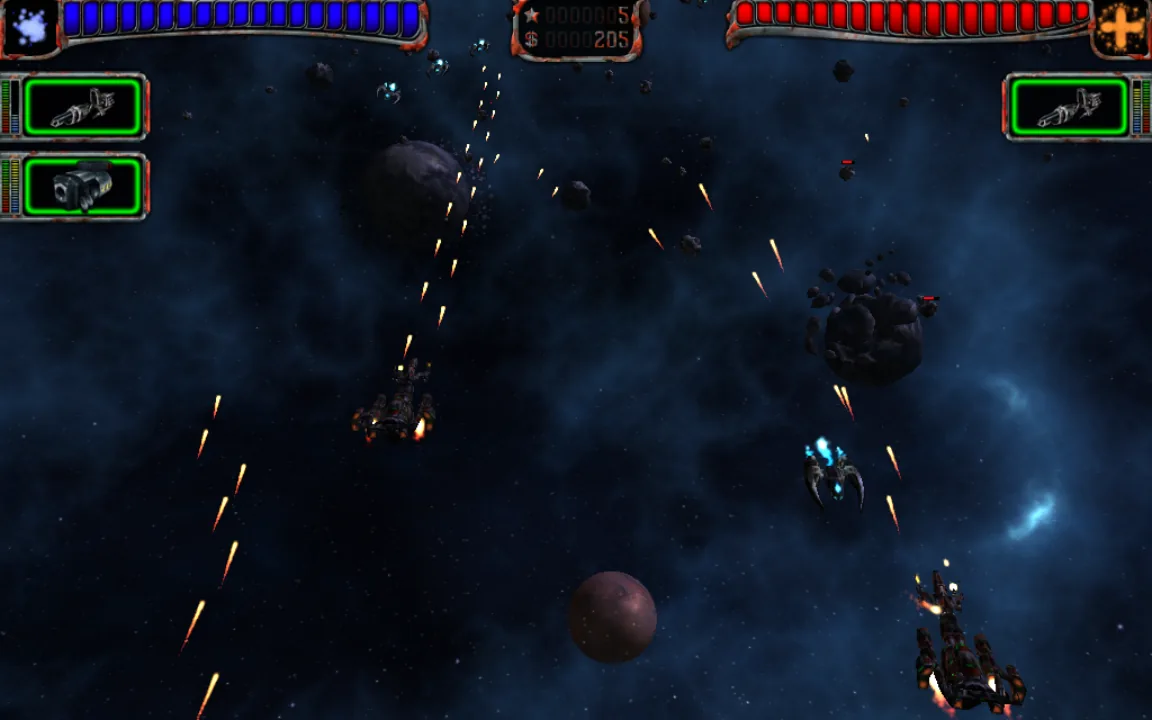
AstroMenace is a top-down shoot 'em up drawn in full 3D. The screen scrolls across asteroid fields, planetary surfaces and space stations while waves of enemies come at you: alien fighters and motherships, pirate gunships and bombers, and on the ground tanks, missile launchers, anti-aircraft guns and fortified buildings. The campaign has 15 missions, each one unlocked by finishing the one before it, and some end with a large boss ship that takes a lot more than a few volleys to bring down.
What sets it apart from an arcade shooter is what happens between missions. Every enemy you destroy pays money, and the hangar has three shops to spend it in. The shipyard sells new hulls and repairs the one you have, the workshop upgrades the engine, the power source, the targeting computers and the defensive systems, and the weaponry section fits guns, missiles, torpedoes, lasers and bombs into the weapon slots of your ship. Each weapon has a level from 1 to 5 and only fits a slot of the same level or higher, so a better hull also means room for heavier weapons.
The game was made by the small studio Viewizard, led by programmer Mikhail Kurinnoi, and first released in 2007. It was later released as free software, together with its art, music and sound, and Viewizard still maintains it.
Playing it here
This is the current version of AstroMenace, compiled for the browser from the official source code. The download is about 65 MB, and the game plays offline once it has loaded. A few small changes make it run in a browser; the main one is that your pilot profiles, progress and settings are kept in this browser and saved whenever you hide or close the tab. Clearing this site's data deletes them.
The game draws its picture in 3D, so it needs a browser with WebGL. It is played with a mouse and keyboard, and the menus are in English, German, Russian, Polish, Spanish or Turkish. Use the player's full-screen button for a bigger picture.
Controls
| Input | Action |
|---|---|
| Mouse or arrow keys | move the ship |
| Left mouse button or Ctrl | fire the primary weapons |
| Right mouse button or Space | fire the secondary weapons |
| Escape | pause and open the game menu |
| F2 | show the frame rate |
| F5 / F6 / F7 | slow down / reset / speed up the game |
| F8 | change how the weapon panels are shown |
| F9 / F10 | change the fire mode of the primary / secondary weapons |
Keys and mouse buttons can be changed under Options, Config Controls.
Getting started
Create a pilot. Start Game asks for a pilot name. The game holds up to five pilot profiles, each with its own ship, money, experience and difficulty.
Set the difficulty. The Difficulty button of a profile lets you weaken the enemies' weapons, armour and aim, or give yourself unlimited ammunition. The result is shown as a percentage: the easier the settings, the lower it is and the less experience each kill brings, while the money stays the same. You can change it before every mission.
Read the tips. The first time you open each screen, a Tips and hints window explains it. They are short and worth reading once; tick the box at the bottom to stop seeing one.
Tips
Replay missions for money. Any mission you have already reached can be played again as often as you like. If the next one is too hard, go back, earn money and buy better equipment first.
Repair before you upgrade. The hull does not heal on its own between missions. Check the shipyard after every mission, since flying into the next one with a damaged hull is the quickest way to lose it.
Mind the weapon levels. A weapon only fits a slot of its level or higher. When the weaponry section will not take a new weapon, a bigger hull with higher-level slots is usually the answer.
Keep moving. Enemy fire and missiles are aimed at where you are. Staying on the move, and shooting down missiles with your guns, saves more hull than any armour upgrade.
Use game speed when it gets busy. F5 slows the whole game down, which helps in crowded boss fights; F6 brings it back to normal.