
 Portugues
Bit Bang
Saved games stay in this browser only.
About the game
Bit Bang is a number puzzle. Each round shows a target written in ordinary decimal digits, and below it a row of bits that starts at zero. Your job is to make the bits spell out the target in binary, and to get there in as few moves as possible.
You do it by steering a small ghost around the screen to four big buttons. One adds 1, one subtracts 1, one shifts every bit to the left (doubling the number) and one shifts them to the right (halving it and dropping the remainder). Every press is a move, and the hearts at the top of the screen show how many moves you have left. When they run out, the puzzle starts over.
There are 64 puzzles. The first ones fit in two or four bits and take a handful of presses; by the second half the numbers are sixteen bits long and the route to them takes real planning. The number of the current puzzle is shown at the top left, in binary of course, counting from zero.
Assist Mode removes the move limit and shows the decimal value of the bits as you go, which makes it a gentle way to learn how binary counting works.
Playing it here
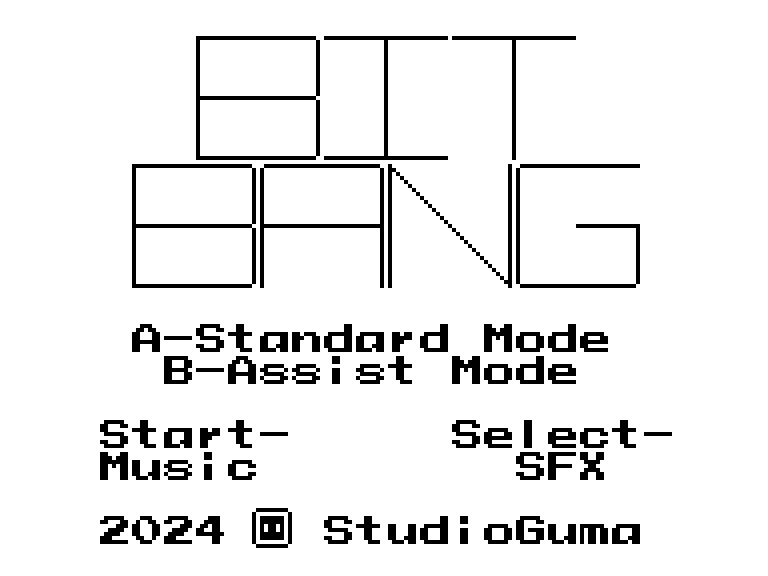
This is a homebrew game made for the Game Boy: a new game by an independent developer, not a commercial release. It runs here in binjgb, a Game Boy emulator compiled to WebAssembly, from a ROM we built from the author's source code. Click Play, then press X for Standard Mode or Z for Assist Mode.
The game itself does not save, so a fresh start always begins at puzzle 1. Press F2 to save the full state of the emulator and F4 to bring it back, which keeps your place between visits. A gamepad works too. The game is in English, though it has very little text.
Controls
| Key | Game Boy button | Action |
|---|---|---|
| Arrow keys | Control Pad | move the ghost |
| X | A | press the button under the ghost (hold to repeat); Standard Mode on the title screen |
| Z | B | restart the puzzle; skip to the next one after a clear; Assist Mode on the title screen |
| Enter | Start | music on or off |
| Shift | Select | sound effects on or off |
| F2 / F4 | — | save / load the emulator state |
A few things worth knowing
Work backwards. Instead of building up from zero, start from the target. If it is even, it came from half of itself shifted left; if it is odd, one more press of +1 or −1 was needed. Following that trail back to zero usually reveals the shortest route.
Shifts are the fast lane. One left shift doubles the number, so large targets are reached by a few additions mixed with a lot of shifting. Pressing +1 again and again is almost never the answer.
Subtracting can be shorter. For a number like 15, going up to 16 and taking one away beats adding the ones one by one. Look for targets that sit just below a round binary number.
Below zero, it wraps around. Pressing −1 at zero turns every bit on, which is the quickest way to a target made only of ones.
Zero does not shift. The shift buttons do nothing while the number is 0, so every puzzle starts with at least one +1 or −1.
There is something after puzzle 64. Finish them all and the game lets you use the buttons to choose any puzzle by its number and replay it with Z.
Credits and licence
Bit Bang is by StudioGuma, made with GBDK-2020 and with music played by hUGEDriver, which is in the public domain. The author thanks alicegaming, bbbbbr and ethantrithon for playtesting. Its code is free software under the GNU General Public License, version 3 or later, and its graphics and music are under the Creative Commons Attribution-ShareAlike 4.0 licence. The licence texts and the complete source code of the build served here are linked from this page.