
 Portugues
Bugz
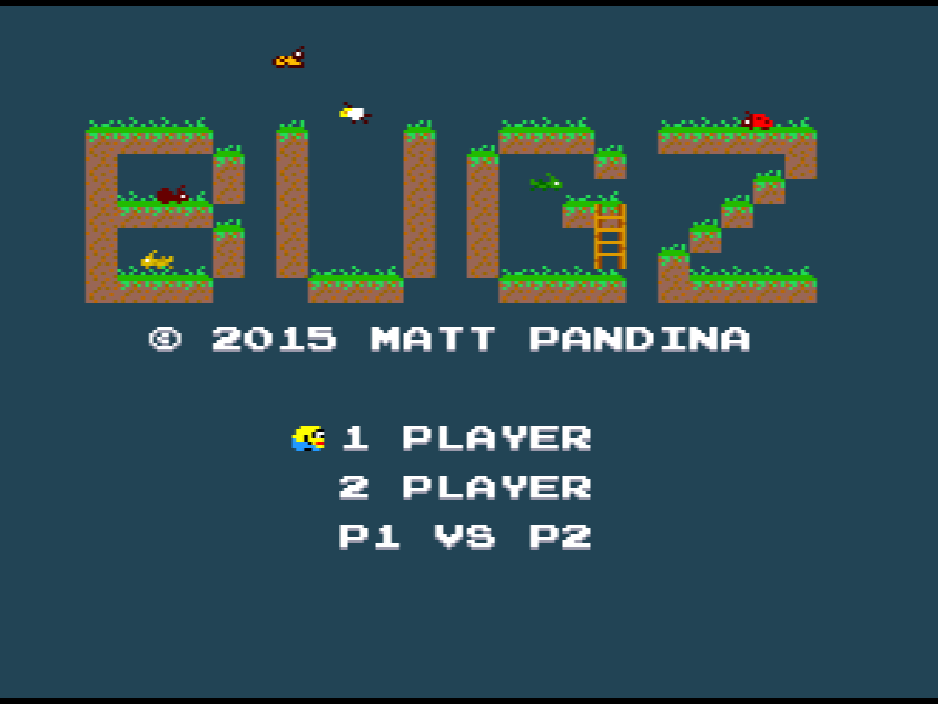
Saved games stay in this browser only.
About the game
Bugz is a single-screen platformer in the old arcade tradition. You play a small yellow bug, and each level is one screen of dirt ledges, ladders and open sky scattered with cookies. Pick up every last cookie and an exit sign appears where you started; walk into it to move on to the next level.
The other insects on the screen are not friendly. Ants, spiders, ladybugs, grasshoppers, moths, butterflies and other flying insects share the levels with you. Touch one from the side and you are done for, but land on it from above and it drops off the screen, worth 25 points and a little hop. Patches of fire and the open bottom of the screen are just as deadly. Each cookie is worth 5 points, and a bonus clock counts down at the top of the screen from the moment the level starts: whatever is left when you reach the exit is added to your score.
There are 21 levels, from gentle introductions to screens that demand precise jumps, careful use of the ladders and a good sense of when to wait for a bug to pass. Clear the last one and the game shows a victory screen before returning to the title.
Besides the solo game there are two modes for two players. In 2 Player both bugs share the screen and the cookies; in P1 vs P2 they can also stomp each other.
Playing it here
This is a homebrew game made for the Uzebox, an open-source game console that hobbyists build themselves: a new game by an independent developer, not a commercial release. It runs here in CUzeBox, a Uzebox emulator compiled to WebAssembly, from a ROM we built from the author's source code. Click Play, choose a mode with the Up and Down arrows and press Enter.
In the solo game, the best score is kept in the console's memory, which this page stores in your browser, so it is still on the title screen next time. F2 saves the full state of the emulator at any moment and F4 brings it back.
A gamepad works too. The keyboard and the first gamepad both control player 1; for the two-player modes, the second player needs a second gamepad. The game's few words are in English.
Controls
| Key | Uzebox button | Action |
|---|---|---|
| Arrow keys | D-pad | run left and right; climb ladders; choose the mode on the title screen |
| X | A | jump (press again after landing to jump again) |
| Z | B | hold to run faster |
| Enter | Start | start the game; restart the level |
| Shift + Enter | Select + Start | back to the title screen |
| F2 / F4 | — | save / load the emulator state |
A few things worth knowing
Stomping is the safe way past. A bug that keeps patrolling the ledge you need is easier to jump on than to dodge, and each one adds 25 points.
Holding jump early works. Press X just before you land and the bug jumps the moment its feet touch the ground, which helps on chains of short ledges. Under a low ceiling the jump waits until there is room.
Run only when you need to. Holding Z makes jumps longer, which is the only way across some gaps, but it also makes it much easier to overshoot a ledge.
The clock is a bonus, not a deadline. When the timer reaches zero you lose the bonus, not the level, so on a hard screen it is fine to take it slowly.
Starting over is one key away. If you die in the solo game, press Enter to retry the level; the score goes back to what it was when the level began.
Two players. In 2 Player and P1 vs P2, a player who dies comes back by pressing any button except Start, and loses the points scored in that level. To restart the level, both players hold Start together.
Level select. Holding Shift (Select) and pressing Q or W (L or R) jumps to the previous or next level. It is handy for practice, but in the solo game it resets the score to zero.
Credits and licence
Bugz was created by Matt Pandina, who wrote the code and drew the graphics and the levels; the player physics build on code by Jake Gordon published under the MIT licence, and the sound effects use the default waveforms and instruments of the Uzebox kernel by Alec Bourque. The game is free software under the GNU General Public License, version 3 or later. The build served here was compiled from the author's repository together with the Uzebox kernel (also GPL), which becomes part of every game; their complete source code, the small tools we use to convert the levels and the build script are hosted alongside the game, and the licence texts are linked from this page.