
 Portugues
Circuit Artist
Saved games stay in this browser only.
About the game
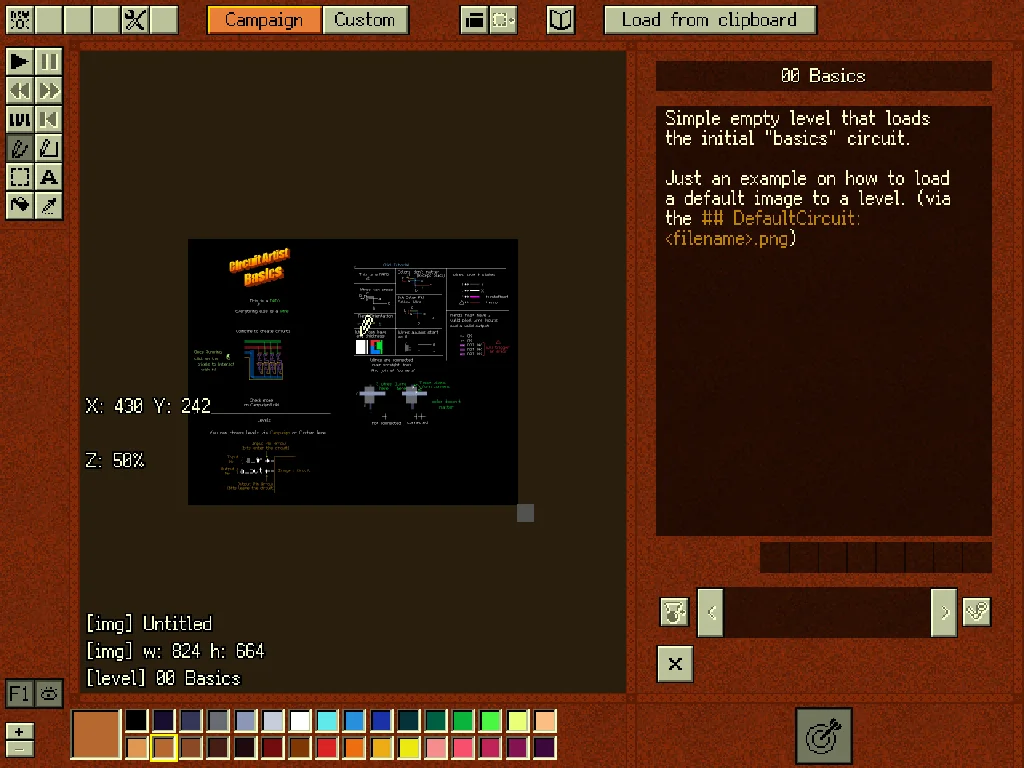
Circuit Artist is a digital logic game with an unusual canvas: your circuit is a picture. Black pixels are empty space, little pixel triangles are NAND gates, and every other pixel is wire, with the colour of a wire only telling you which group it belongs to. Draw with a brush, copy and paste parts, and press Space to start the simulation: the signals travel along your wires and you watch them glow as they go.
A NAND gate is enough to build any digital circuit, and the game takes that literally. The campaign starts with the basics, building the other gates out of NANDs, and moves on through routing, adders, shifters, seven-segment displays, memory and finally parts of a tiny processor. Each level gives you inputs and the outputs you must produce, and a test run tells you whether your drawing does what it should. A sandbox mode and a Wiki with explanations of the circuits, from latches to flip-flops, come with it.
The simulation is more detailed than the usual puzzle game. Wires have delay, which depends on their length and on how many gates they feed, so a clock can be built from nothing but a loop, timing matters and the same logic can be fast or slow depending on how you lay it out. You can pause, step back and forward through time, draw on up to three layers (gates only on the bottom one), save pieces as blueprints for later and compare designs by speed and energy.
Playing it here
Click Play, give the game a second to start, and click on the picture before using the keyboard. The game needs a big screen, so in a small player it is shown shrunk to fit; a larger browser window makes the text easier to read. Your progress, blueprints and settings are kept in this browser, so you can come back later. Pasting an image from your clipboard (Ctrl+V) loads it into the editor. This web version has no file dialogs, no workshop and no Steam features, so the buttons for them do nothing.
This build differs from the game on Steam in a few small ways: the links to the store and the Discord server were removed from the About window, and the sound effects are replaced by simple tones generated for this site, because the original sound files do not say who made them.
Controls
| Input | Action |
|---|---|
| Left mouse button | draw with the brush, select, place |
| Right mouse button | erase; while simulating, rewind finely |
| B | brush tool |
| Alt | pick the colour under the cursor |
| Shift / Ctrl while drawing a line | add a corner at the start / at the end |
| Space | start or stop the simulation |
| J / L | rewind / forward the simulation |
| Ctrl+Z, Ctrl+Shift+Z or Ctrl+Y | undo, redo |
| Ctrl+C, Ctrl+V | copy and paste the selection |
| Arrow keys | move the selection (Ctrl: by 4 pixels) |
| Delete or Backspace | delete the selection |
A few things worth knowing
Start with the Wiki. It explains the rules of the pixels, how to read the level descriptions and the logic behind each circuit. The first campaign levels double as a tutorial.
Keep your wires apart. Two wires of different colours that touch are joined where they meet, so leave a black pixel between circuits that should not connect. Shift while painting forces a colour over an overlapping wire.
Use blueprints. Once you have a working adder or flip-flop, save it as a blueprint and drop it into bigger designs instead of drawing it again.
Watch the delays. A circuit that works on paper can fail when a clock arrives before its data. Slow the simulation down, step through it and add NOT-NOT pairs where a signal must arrive later.
Credits and licence
Circuit Artist was made by lets_all_be_stupid_forever and is free software under the GNU General Public License version 3; the game is also sold on Steam. This web version is compiled from the source code of the author's repository, with the changes listed above, and the complete source of what is served, including those changes, is hosted alongside the game. It uses raylib, Lua, FreeType, json-c, msgpack-c, TinyCThread and stb_ds, the Ark Pixel font by TakWolf and the m5x7 font by Daniel Linssen. The licence texts are linked from this page.