
 Portugues
Cube Composer
Saved games stay in this browser only.
About the game
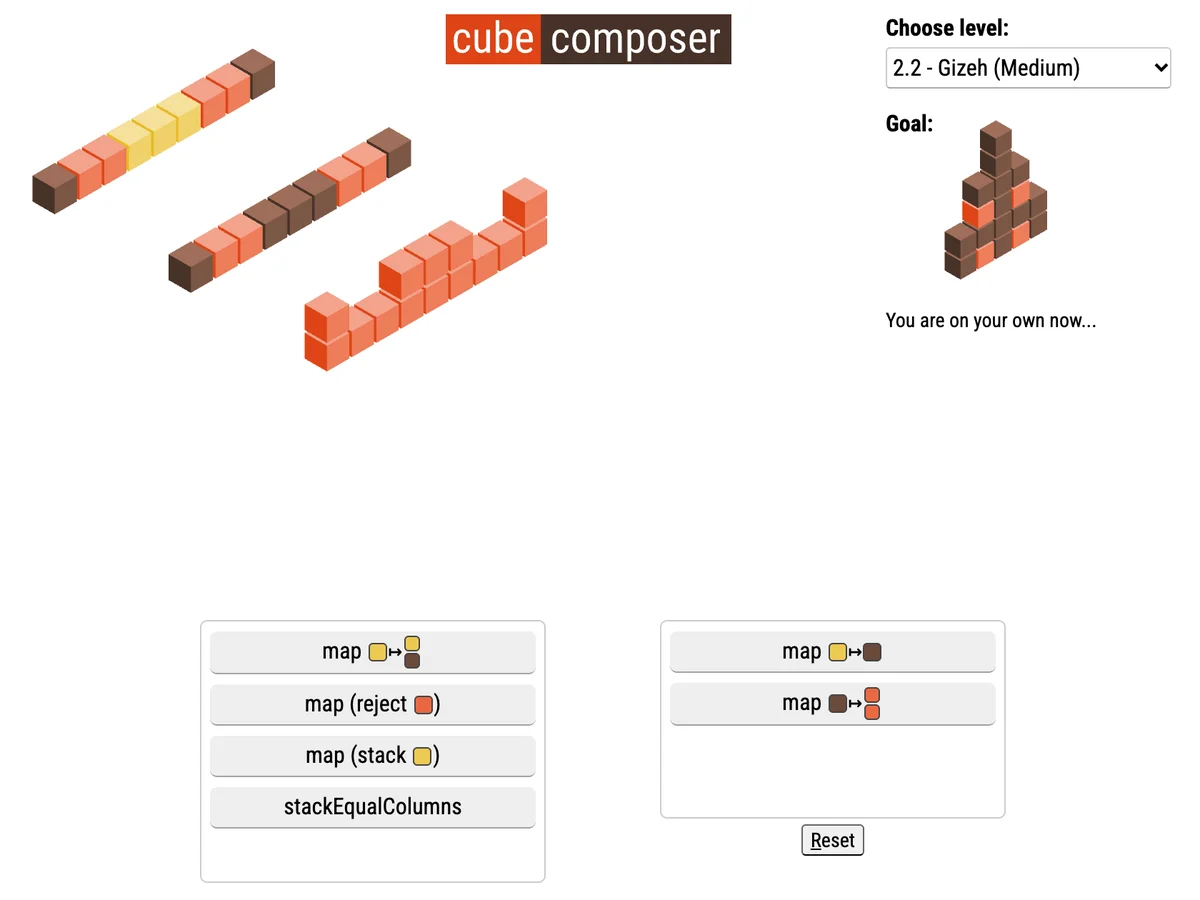
Cube Composer is a puzzle game about building small programs out of functions, without writing a single line of code. Each level starts with a few columns of coloured cubes drawn in isometric 3D, and a goal in the corner shows the shape they should end up as. Below the board are two boxes: the functions you may use and your program.
Every function transforms the whole board at once. "map yellow to red" repaints every yellow cube; another map can turn one cube into a stack of two; "reject" removes every column that matches a pattern; "stack" piles a cube on top of each column; some levels bring stranger ones, like stacking columns of equal height together. Click a function to add it to the end of your program and the board updates immediately, with each step drawn so you can see what the program does so far. The level is solved when the final step matches the goal.
Order is everything, because a function applies to the result of the one before it, exactly like composing functions in a programming language. The twenty-five levels are grouped into six chapters, from an introduction that explains the idea to hard puzzles that need every function in the right place. David Peter wrote the game in 2015 in PureScript, a functional language that compiles to JavaScript.
Playing it here
Click Play. The game page is shrunk to fit the width of the player, and it scrolls up and down inside it when a level has a long list of functions. The level you are on and the program you built for each level are saved in this browser. You can also jump to any level from the "Choose level" list.
This is the build that the author publishes on his own site, with the page changed so that nothing loads from other sites: the Roboto Condensed font is served from here, and the analytics script and the GitHub star button were removed. The game itself is unchanged. It works with a mouse or on a touch screen.
Controls
| Input | Action |
|---|---|
| Click a function in the left box | add it to the end of your program |
| Click a function in your program | take it out |
| Drag in your program | change the order of the functions |
| R | reset the level |
| N or Right arrow | next level |
| P or Left arrow | previous level |
A few things worth knowing
Watch the steps. The board shows every intermediate result, from the starting cubes to the final one, so you can see exactly where a program goes wrong.
Work backwards. Look at the goal and ask which function could have made it, then which function could have made that.
Try the order both ways. Two functions that seem independent often give different results when swapped; dragging them is quicker than thinking it through.
Not every function is needed. Some levels offer more functions than the solution uses.
Credits and licence
Cube Composer was created by David Peter and is released under the MIT licence, published in his repository on GitHub. The game includes the Sortable library (MIT) and the PureScript standard libraries (MIT and BSD), and the page uses the Roboto Condensed font (SIL Open Font License). The licence texts and the source code are linked from this page.