
 Portugues
Flexbox Froggy
Saved games stay in this browser only.
About the game
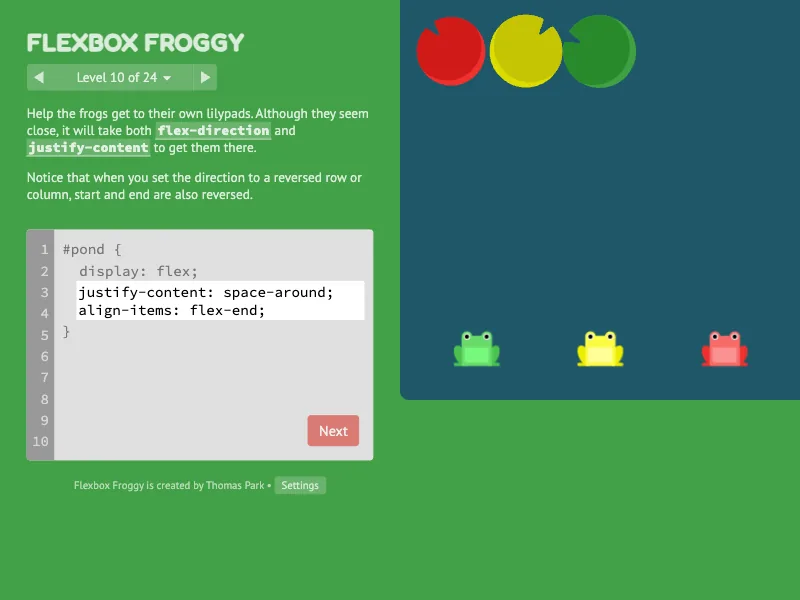
Flexbox Froggy is a puzzle game for learning the CSS flexbox layout. Frogs sit on a pond, lilypads wait at the other side of it, and your job is to get every frog onto a lilypad of its own colour. You do it by writing CSS, the same language web pages use to place things on the screen: the pond is a flexible container, and the properties you type decide how the frogs inside it line up, spread out, wrap, turn around or swap places.
The game has 24 levels. It starts with a single property, justify-content,
which pushes the frogs along the main axis, and adds one idea at a time:
align-items for the other axis, flex-direction to turn the axis around,
order and align-self to move a single frog, flex-wrap and align-content
for several rows, and flex-flow to put it all together. The last levels mix
them, with frogs in reversed columns and in rows that wrap upwards.
Playing it here
Click Play and the first level appears. The instructions at the top of the left column say what to do, and the box below them is a small code editor with the first and last line of the rule already written; you type the lines in the middle. The pond updates as you type, so you can see the effect of every property immediately. When the frogs end up where they belong, they hop onto the lilypads and the Next button lights up. The level menu next to the counter lets you go back to any level you have already seen.
Your progress, your answers and your settings stay in your browser, so you can close the page and come back to the same level. The Settings menu at the bottom of the left column has three options: the language (the game starts in English here, and in Brazilian Portuguese on the Portuguese pages, but offers more than fifty), the difficulty and a colour-blind mode that draws the frogs and lilypads differently so they are easier to tell apart.
Controls
| Input | Action |
|---|---|
| Keyboard | type the CSS in the editor |
| Mouse click on a highlighted word | show a short explanation of that property or value |
| Next, arrows or the level menu | go to the next, previous or any level |
| Settings | language, difficulty and colour-blind mode |
A few things worth knowing
The axis changes. justify-content always works along the main axis, and
align-items across it. When flex-direction turns the axis, the two swap
roles, which is the idea most levels are built around.
Read the instructions. Each level introduces what it needs in the text, and tapping a property name in it opens a short reference. Several levels have more than one correct answer; the game accepts any of them.
Harder modes. Beginner mode tells you which properties to use. Intermediate removes those hints, and expert also shuffles the order of the levels.
Try things out. Nothing is lost by typing a wrong value: the pond simply moves, and the editor only counts an answer when every frog is on its pad.
Credits and licence
Flexbox Froggy was created by Thomas Park. The code is released under the MIT licence and the images (frogs, lilypads) under the Creative Commons Attribution 3.0 licence, as stated in the README of his repository on GitHub; the images are shown unchanged. The game is served as the author published it, except for a few changes of ours: the analytics, the advertising, the share buttons, the links to other sites and the web fonts loaded from Google were removed, so that nothing is requested from other websites. It also contains jQuery and Animate.css (MIT licence) and the fonts PT Sans, Fredoka and Source Code Pro (SIL Open Font License), all included with the game. The licence texts are linked from this page.