Portugues
Free Paint
Saved games stay in this browser only.
About the program
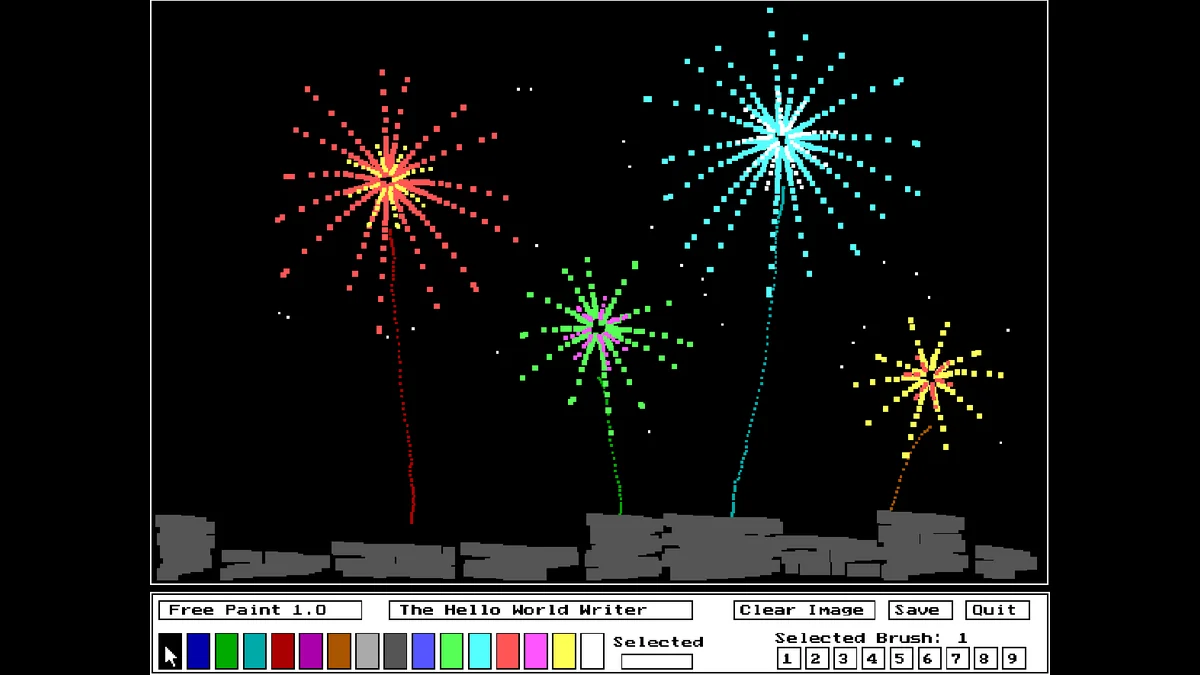
Free Paint is not a game but a toy: a paint program from the days when drawing with a mouse on a home computer still felt new. The screen is a picture in 640 by 480 pixels with the 16 colours of a VGA card, and under it there is a bar with the colour strip, nine brush sizes and three buttons. Hold the mouse button down and paint.
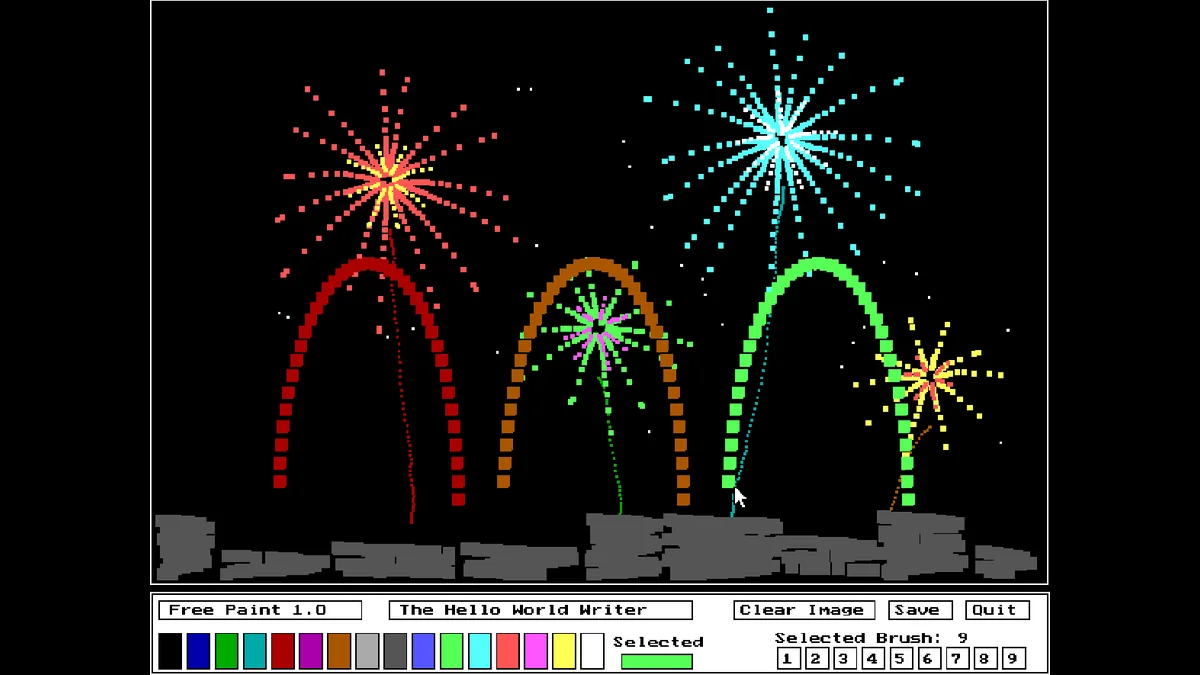
There are no layers, no undo and no shapes, which is a large part of its charm. You pick a colour, pick a brush and paint, the way you would with a set of markers. It opens on its sample picture, a night of fireworks over a grey wall, so you can start by adding your own rockets or by clearing the whole picture to a single colour and starting fresh.
The author wrote Free Paint in October 1995 in Borland Turbo Pascal 7, while learning how to use the mouse and the graphics mode, and published it with its source code in 2026. The package also has a viewer, FREEPNTV, for looking at the saved pictures.
Playing it here
Click Play and the fireworks picture opens, ready to paint over. On a phone or tablet you can paint with your finger: touch the colour strip to choose a colour and drag across the picture.
It is a good first computer toy for small children: there is nothing to read, nothing can go wrong, and every click leaves a mark on the screen.
Controls
| Input | Action |
|---|---|
| Hold a mouse button over the picture | paint |
| Click a colour in the strip | choose the colour |
| Click 1 to 9 | choose the brush size |
| Clear Image | fill the whole picture with the chosen colour |
| Save | save the picture |
| Quit or Q | leave, asking to save if the picture changed |
A few things worth knowing
Paint slowly. The brush is stamped every time the program reads the mouse, with nothing drawn in between, so a fast stroke breaks into separate dabs. Slow strokes give a continuous line; quick ones give a dotted, spray-paint look.
Big brushes for filling. Brush 9 covers ground fast. Switch to 1 or 2 for the details at the end.
Clear Image is a background tool. Pick a colour first, then Clear Image to start from a blue sky or a black night instead of the fireworks.
FAQ
Is my picture kept? Click Save. The program writes the picture over the sample file, and the DOS player keeps the game's files in this browser, so it opens again on your next visit on the same device.
Can I get the original fireworks back? After saving over them, only by clearing this site's data in the browser, which also removes the other saves of the DOS games here.
Can I download my drawing? Not from here: the picture lives inside the DOS player's disk, in the program's own format. A screenshot is the simple way to keep it.
Credits and licence
Free Paint was written by The Hello World Writer and released under the MIT licence; the source code is on GitHub. The package includes Borland's EGAVGA.BGI graphics driver, which Turbo Pascal allowed to be distributed with programs built with it. It runs here in js-dos (DOSBox), from the author's release v1.0.0.
Screenshots