
 Portugues
Grid Garden
Saved games stay in this browser only.
About the game
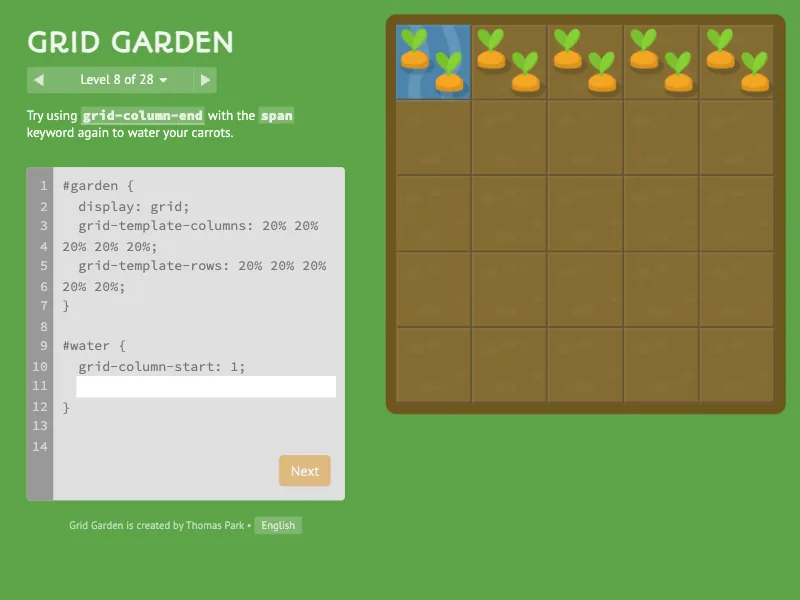
Grid Garden is a puzzle game for learning the CSS grid layout. You have a garden laid out as a grid, with carrots growing in some of its squares and weeds in others, and a sprinkler that waters whatever area you describe. The description is written in CSS, the language web pages use to place things on the screen, and the aim is simple: water every carrot, and keep the water away from the weeds.
The game has 28 levels. It starts with grid-column-start, which says on which
vertical grid line the watered area begins, and then adds the ideas of grid
layout one at a time: where an area ends, how many columns it spans, the same
for rows, the shorthand grid-column, grid-row and grid-area, the order
property that shuffles items around, and finally the container side of the
grid, with grid-template-columns, grid-template-rows and the gap between
cells. The last levels combine them all.
Playing it here
Click Play and the first level appears. The instructions at the top of the left column say what to do, and the box below them is a small code editor with the opening and closing lines of the rule already written; you type the lines in the middle. The garden updates as you type, with a grid overlay that numbers the lines, so you can see exactly where each value puts the water. When the carrots are watered and the weeds are left alone, the carrots grow and the Next button lights up. The level menu next to the counter lets you return to any level you have already seen.
Your progress and your answers stay in your browser, so you can close the page and return to the same level. The language menu at the bottom of the left column offers more than fifty languages; the game starts in English here, and in Brazilian Portuguese on the Portuguese pages.
Controls
| Input | Action |
|---|---|
| Keyboard | type the CSS in the editor |
| Mouse click on a highlighted word | show a short explanation of that property or value |
| Next, arrows or the level menu | go to the next, previous or any level |
| Language menu | change the language of the game |
A few things worth knowing
Count the lines, not the squares. Grid lines are the thin lines between and
around the squares, numbered from 1 on each side. A 5 by 5 garden has 6
vertical lines, and grid-column-start: 3 begins right where the third line
is.
Negative numbers count from the end. A value of -1 means the last line, which is handy when you do not want to count.
Spans save typing. grid-column: 2 / span 3 starts at line 2 and covers three
columns, whatever line that ends on.
Experiment. Nothing is lost by a wrong value: the water simply falls somewhere else, and a level is only solved when every carrot is watered and no weed is.
Credits and licence
Grid Garden was created by Thomas Park. The code is released under the MIT licence and the images (carrots, weeds, the garden) under the Creative Commons Attribution 3.0 licence, as stated in the README of his repository on GitHub; the images are shown unchanged. The game is served as the author published it, except for a few changes of ours: the analytics, the advertising, the share buttons, the links to other sites and the web fonts loaded from Google were removed, so that nothing is requested from other websites. It also contains jQuery and Animate.css (MIT licence) and the fonts PT Sans, Autour One and Source Code Pro (SIL Open Font License), all included with the game. The licence texts are linked from this page.