
 Portugues
Kobo Deluxe
Saved games stay in this browser only.
About the game
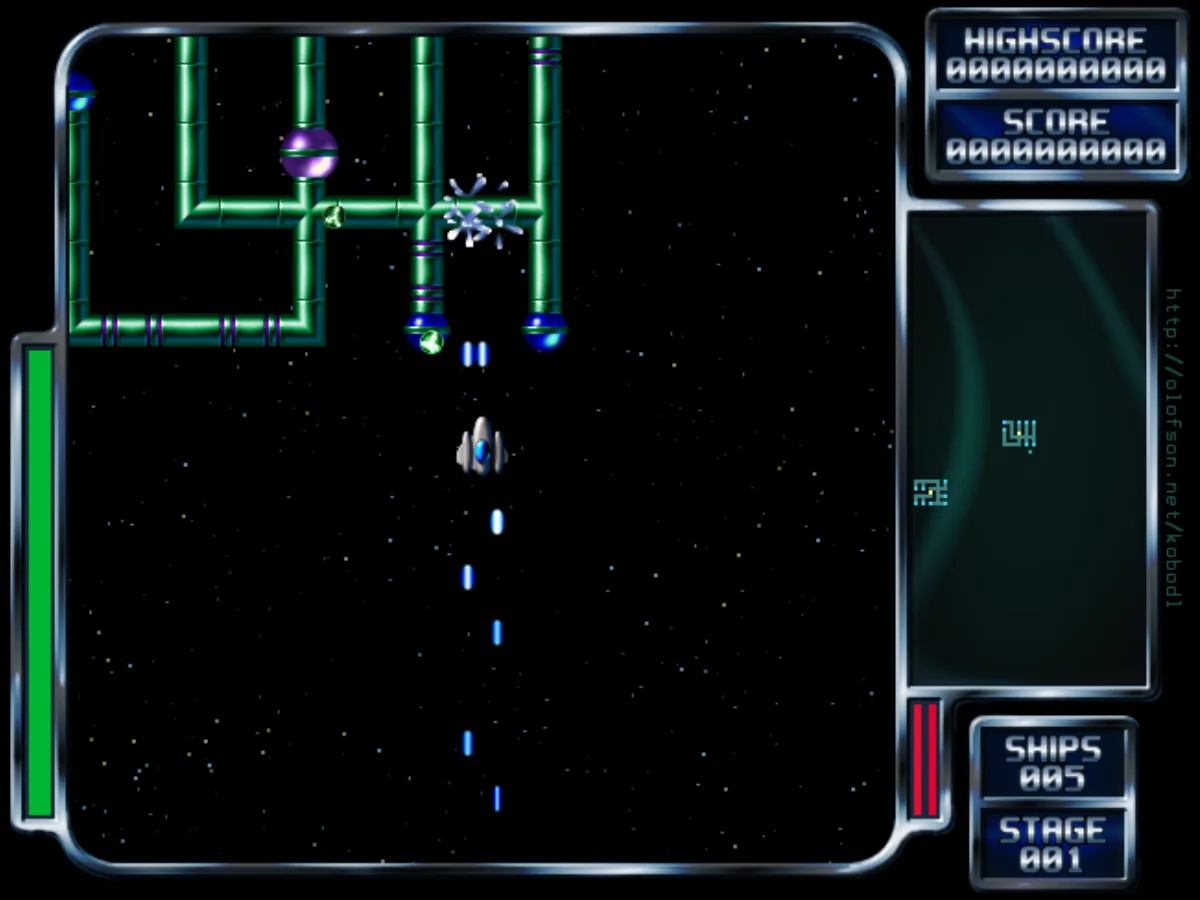
Kobo Deluxe is an arcade shooter seen from above. Your ship sits in the middle of the screen while the playfield scrolls around it in every direction, and each stage hides several enemy bases: sprawling mazes of pipes with a core in the middle. Hit a core and the whole base comes apart in a chain of explosions. Clear every base on the map and the stage is over.
The bases do not just sit there: they fire back, enemy ships of several kinds come after you, and rocks and bombs drift across the map. Some of these take many hits, and some cannot be destroyed at all. Your ship fires forwards and backwards at the same time, which turns every pass along a base into a careful line of attack. The radar on the right shows the whole map, with the bases that are left.
The game started as XKobo, written by Akira Higuchi for X11 in 1995. David Olofson turned it into Kobo Deluxe: smooth animation that keeps the game logic exactly the same at any frame rate, new graphics, sound effects and music synthesized by the game itself, and new skill levels. The fifty original stages are all there.
Playing it here
This is Kobo Deluxe from the author's own repository, the 0.6.0 development version from 2020, compiled for the browser from its source code. The title screen still says it is a work in progress, as it does in that version. The download is about 3 MB, and the game builds its sounds for a few seconds while loading. Pilot profiles, high scores and settings are kept in this browser; clearing this site's data deletes them. Quit Kobo Deluxe in the menu closes the game; reload the page to play again. The game needs a keyboard.
Controls
| Input | Action |
|---|---|
| Arrow keys | move the ship (two at once for diagonals) |
| Numeric keypad | move; 1, 3, 7 and 9 are diagonals |
| Shift or Ctrl | fire |
| P | pause |
| Escape | open the menu |
| Arrow keys and Enter | choose in the menus |
The options menu has more, including mouse or joystick control and an "always fire" setting that keeps the guns going without holding a key.
Getting started
Make a pilot. The first time you play, the game asks for a name. Type it, press Enter, then Enter again on Ok. Each pilot keeps their own high scores and the furthest stage they reached.
Pick a skill level. Start Game! opens the list. Classic plays exactly like the original XKobo: one hit and the ship is lost. Newbie, Gamer, Elite and God are the newer levels, where the ship can take some damage first. The game itself only counts Classic for its high score table and marks the newer levels as experimental.
Follow the radar. The bases you still have to destroy show up on the radar. Head for one, line up with its core and fire.
Tips
Go for the core. Shooting a base's pipes one by one takes a long time and keeps you in the line of fire. The core takes the whole base with it.
Watch the guns. On the newer skill levels the cannons heat up; the two small bars at the bottom right show how hot the front and rear guns are. Fire in bursts so they do not overheat just when you need them. The tall bar on the left is your ship's health.
Use the rear gun. The ship always fires backwards too, so you can shoot a base while flying away from it, or deal with a fighter on your tail without turning around.
Keep moving. Enemy ships close in from every side. Sweeping past a base and coming back is safer than hovering next to it.
Start further in. Once you have reached a stage, the menu lets you start a new game from there, up to the furthest stage your pilot has reached.