
 Portugues
LBreakoutHD
Saved games stay in this browser only.
About the game
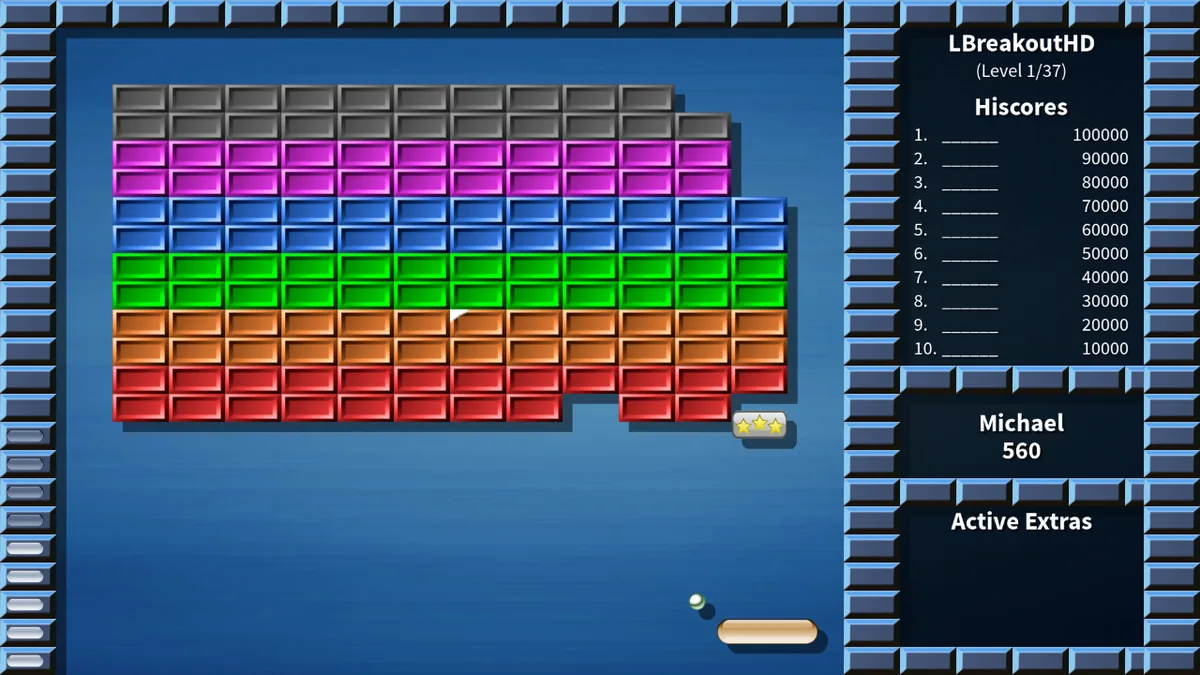
LBreakoutHD is a brick breaker: a paddle at the bottom of the screen, a ball, and a wall of bricks to knock down. Steer the paddle to keep the ball in play, and clear every breakable brick to move to the next level. It is the high-definition remake of LBreakout2 by Michael Speck of LGames, with the same game underneath and new graphics drawn for widescreen displays.
Bricks come in many kinds. Some take several hits, some can't be destroyed at all, some explode and take their neighbours with them, some grow new bricks when they break, and some slowly heal if you leave them alone. Destroyed bricks often drop an extra that falls toward the paddle. Catch it and it takes effect, for better or worse: a longer or shorter paddle, extra balls, a plasma weapon on the paddle, energy balls that plough through anything, a floor that keeps the ball from falling, a gold shower of points, or a frozen paddle and fast balls when your luck runs out.
The original campaign has 30 levels, and every four levels a bonus level breaks things up with a mini game. Beyond that there are more than 90 level sets made by players, the six mini games on their own (Barrier, Hunter, Invaders, Jumping Jack, Outbreak and Sitting Ducks), Freakout, which mixes levels from every set, and a level editor to build your own. Up to four people can share a game, taking turns.
Playing it here
This is LBreakoutHD 1.2.4, the latest release, compiled for the browser from the author's source code. The download is about 10 MB, and the game plays offline once it has loaded. Your settings, high scores and the game in progress are kept in this browser; clearing this site's data deletes them. The game is in English.
A few things differ from the download on the LGames site. The game always fills the player window, and the Mode setting only chooses the rendering size (1080p or 720p). The Standard theme uses a frame made of bricks and its own menu background, because the original ones were made from a photo that is not under a free license. And 44 of the level sets contributed by players were left out because they show characters, games, brands or real people that belong to others, use political symbols or have crude titles.
Controls
| Input | Action |
|---|---|
| Mouse or arrow keys | move the paddle |
| Left or right mouse button, Space or V | launch the ball, fire the plasma weapon |
| X | move the paddle faster |
| C | speed up the balls |
| W | warp to the next level when the warp icon is lit |
| Backspace | bring idle balls back to the paddle |
| P | pause |
| D | destroy one brick of your choice (costs 10% of your score) |
| R | restart the level (costs a life) |
| Escape | leave the game; resume it later from the menu |
All keys can be changed in Settings, under Controls. A gamepad works as well.
Getting started
Start the campaign. Choose New Game, then Start Original Levels. Difficulty changes the number of lives, the paddle size and the ball speed: Kids and Very Easy are forgiving, Hard is fast and pays a score bonus. Easy is the default.
Try other level sets. Start Custom Levels opens a list with the mini games, Freakout, Random 20 and the player-made sets, each with a preview of its first level.
Pick up where you left off. If you leave a game with Escape, or simply close the tab, Resume Game in the main menu brings you back to the level you were on, with your score and lives.
Tips
Aim with the paddle. Where the ball hits the paddle decides its angle: near the edges it flies off sharply, near the middle it goes almost straight up. Use that to reach the bricks in the corners.
Choose what to catch. Not every falling extra is good for you. A shrinking paddle, fast balls or a frozen paddle can ruin a run, so it is often better to let those fall past.
Warp when the end drags on. Once most of the bricks are gone, a warp icon lights up in the lower right corner of the board, and W skips to the next level with no penalty. It beats chasing the last brick for minutes.
Use the help screen. Help in the main menu shows every extra with its picture, which makes them much easier to tell apart in the middle of a level.