
 Portugues
Learn Git Branching
Saved games stay in this browser only.
About the game
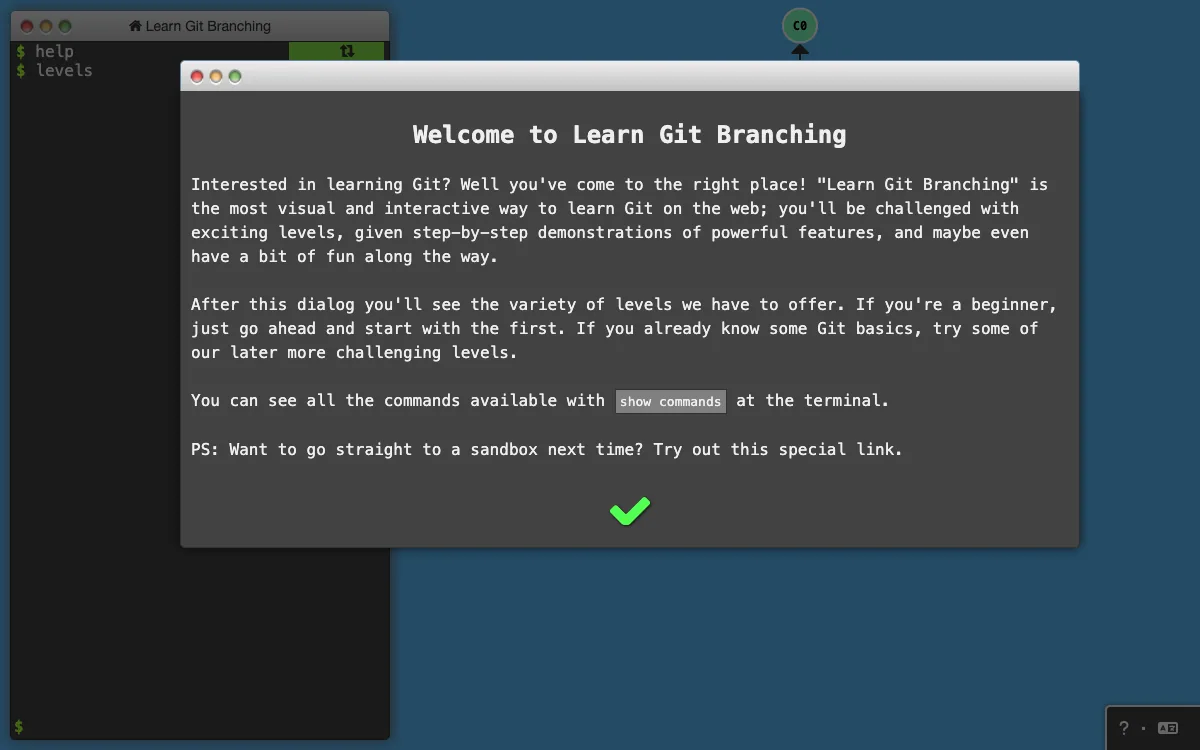
Learn Git Branching is a puzzle game for learning Git, the version control tool most programmers use. On the right of the screen there is a drawing of a small repository, a tree of commits and branch labels. On the left is a terminal. When you type a Git command, the drawing animates what the command does: a commit appears, a branch label slides to a new place, two lines of history merge into one. In sandbox mode you can experiment freely; in the levels, a second small tree shows the goal, and you win by making your own repository look like it with as few commands as possible.
The thirty-six levels are in two tabs. Main starts with commits, branches and merging, goes on to moving around the history with
HEAD, relative references, reset, revert, cherry-pick, interactive rebase and tags, and finishes with advanced puzzles. Remote covers
the part of Git that confuses people the most, with clone, fetch, pull, push, remote tracking branches and what happens when
somebody else changes the remote at the same time. Each level opens with a short lesson and a demonstration, and you can ask for a hint
or the solution.
Playing it here
Click Play and a welcome message opens, followed by the list of levels. Pick the first one if you are a beginner. Each level starts
with a few dialogs that explain the idea; the arrows move on. Then the terminal is yours: type git commit and press Enter. Use
show goal to look at the target tree again, hint for a hint, undo to take back the last command and reset to start the level over.
sandbox leaves the levels and gives you an empty repository, and show commands lists every command the game understands.
Your progress is saved in the browser. The game follows the language of your browser (more than twenty-five, Brazilian Portuguese among them), and the language button at the bottom right of the screen changes it; finishing every level opens a certificate you can copy or download as a picture.
Controls
| Input | Action |
|---|---|
| Keyboard | type Git commands in the terminal and press Enter |
| Up and Down arrows | previous and next command in the history |
| Tab | complete a command |
| levels | open the list of levels |
| show goal, hide goal | show or hide the target tree |
| hint, show solution | a hint, or the solution of the level |
| undo, reset | take back the last command, restart the level |
| sandbox, show commands | free mode, the list of commands |
| Mouse | drag the goal window, click the buttons in the green bar and the arrows in the dialogs |
A few things worth knowing
The commands are real. The terminal does not run Git; the game contains its own small model of Git, so every command you learn
here is spelled the same as in a real terminal, but only the commands and options the game lists with show commands work.
Fewer is better. After each level the game tells you how many commands you used and how many its own solution needs. Solving it is enough, and the shorter way is a good second try.
Use the commit names. Commits are called C0, C1, C2 and so on, and the tree shows them, so later levels ask you to refer to them by name.
No hurry. There is no timer, and undo and reset are free.
Credits and licence
Learn Git Branching was created by Peter Cottle, with the help of many contributors and translators, and is released under the MIT licence. The interface icons are Font Awesome Free 6 by Fonticons, Inc. (icons under Creative Commons Attribution 4.0, fonts under the SIL Open Font License, code under MIT) and an older Font Awesome by Dave Gandy (Creative Commons Attribution 3.0). "Git" is used only to name the tool the game teaches; the game is not affiliated with the Git project, and no Git logo is used. We changed the game: the Google Analytics tracking, the banners for other projects, the share buttons for social networks, the loader of levels from GitHub gists and the links to other sites were removed, so that nothing is requested from other websites. The patch, the build script and the licence texts are linked from this page.