
 Portugues
Lugaru HD
Saved games stay in this browser only.
About the game
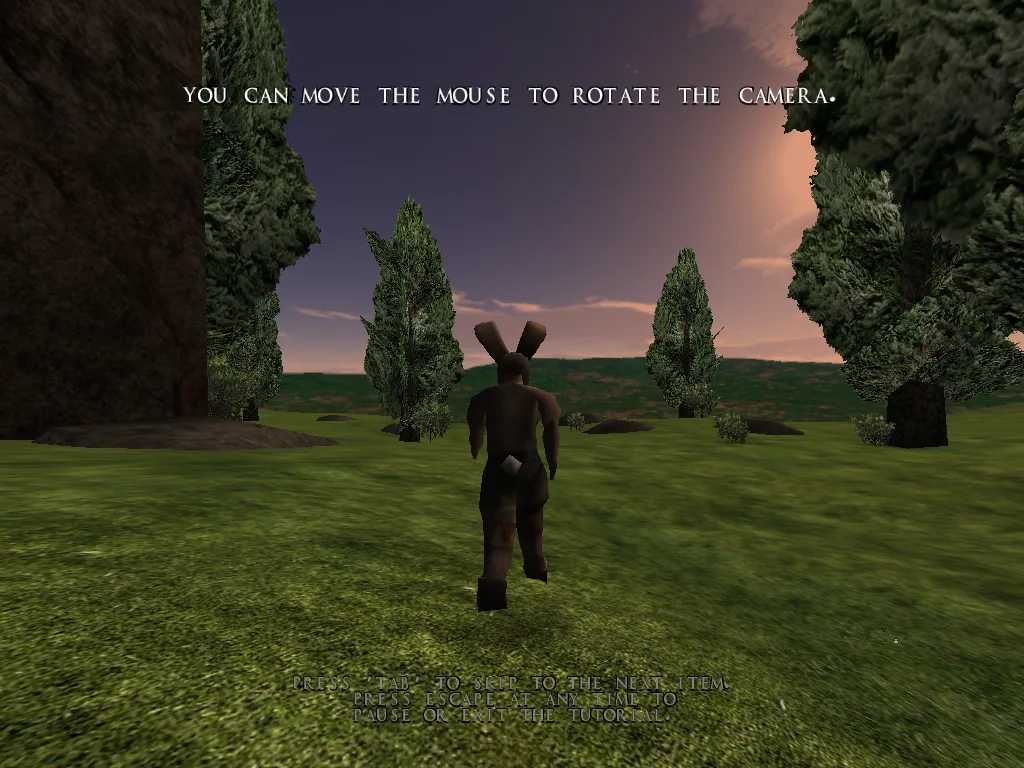
Lugaru is a third-person action game with a rabbit for a hero. Turner is a young rebel whose village has been attacked, and the trail leads across an island to a plot between the rabbit republic's leaders and the wolves who live nearby. Most of the game is fighting: you run, jump, roll under blows, kick, throw enemies and, when you find them, use knives, swords and staffs.
Fights are about timing and about reading your opponent. Almost every attack can be countered, and almost every counter can itself be reversed, so a fight is a dance of dodging, blocking and choosing the moment to strike. You can also play quietly: crouch, sneak up behind a guard and take him out before he notices you.
This is Lugaru HD, the version released as free software by Wolfire Games and kept up to date by the OSS Lugaru project, with the original game's levels, characters and music.
Content warning
Lugaru is a violent game. The fights end with defeated characters on the ground, knives and swords can kill, and the story is about a massacre. Blood is switched off by default and can be turned on in the options menu. The campaigns add a few mild swear words. It is not a game for young children.
What is in it
- Tutorial. A short guided course that teaches the movement, the combat and the weapons. Start here.
- Campaign. The main story, level by level, with dialogue between the fights. The map shows where you are on the island.
- Challenge. Fourteen separate fighting levels, each with a high score and a best time.
- Extra campaigns. Three community campaigns come with the game: Temple by Silb, Empire by Jendraz and The Seven Tasks by Philtron R. Click the campaign name on the campaign screen to switch between them.
Playing it here
The browser version is the game compiled for WebAssembly from the project's source code. The download is about 45 MB; your browser keeps a copy, so the next start is faster. Your profile, options and progress stay in this browser. It needs a keyboard and a mouse, and a computer with a reasonably recent graphics card: it will not work well on a phone.
Click on the game once to capture the mouse, which you use to look around. Esc gives the mouse back to the browser and also pauses the game; click again to capture it. The game's own resolution, full screen and quit options are not in this version: the window is scaled to fit the page. The first time you start, type a name for your profile and pick a difficulty.
Controls
| Key | Action |
|---|---|
| W, A, S, D | move forward, left, back, right |
| Mouse | look around |
| Left mouse button | attack |
| Space | jump (hold it against a wall to jump off it) |
| Shift | crouch; while running, roll |
| E | draw or put away a weapon |
| Q | throw a knife, or pick up a weapon |
| Esc | pause and menu |
You can change the keys under Options, then Configure controls.
Tips
Do the tutorial first. Counters and reversals are what the game is about, and nothing in the menus explains them.
Tap crouch to reverse. When an enemy attacks you, tapping crouch at the right moment turns the attack around. Practice it on the early challenge levels, where the enemies are slow.
Use the terrain. Jumping off a wall, rolling downhill or attacking from a height all give you an advantage. Enemies that are knocked down are easy to finish off.
Sneak when you are outnumbered. A crouching rabbit is hard to see. Thin the group out from behind before the real fight starts.
Credits
Lugaru was made by David Rosen of Wolfire Games and released as free software in 2010. The code is under the GNU General Public License version 2 or later, and the models, textures, animations, maps, sounds and music are under the Creative Commons Attribution-ShareAlike license, version 3.0 (Wolfire Games), with a few textures and the Empire and The Seven Tasks campaigns under version 4.0. The Temple campaign is by Silb, Empire by Jendraz and The Seven Tasks by Philtron R. The browser version is a modified version of the OSS Lugaru project's code; the changes and the full source code are hosted with the game. FredyGames is not affiliated with Wolfire Games or the OSS Lugaru project.
FAQ
Can I turn the blood on? Yes, in Options. It is off by default.
Is my progress saved? Yes, in this browser. It stays until you clear the site's data.
The mouse does not move the camera. Click on the game once. If the browser asks, allow it to hide and lock the pointer.
The game is slow. Lower the detail in Options, and turn off decals and blur effects. A computer with a dedicated graphics card runs it best.