
 Portugues
Mini Golf
Saved games stay in this browser only.
About the game
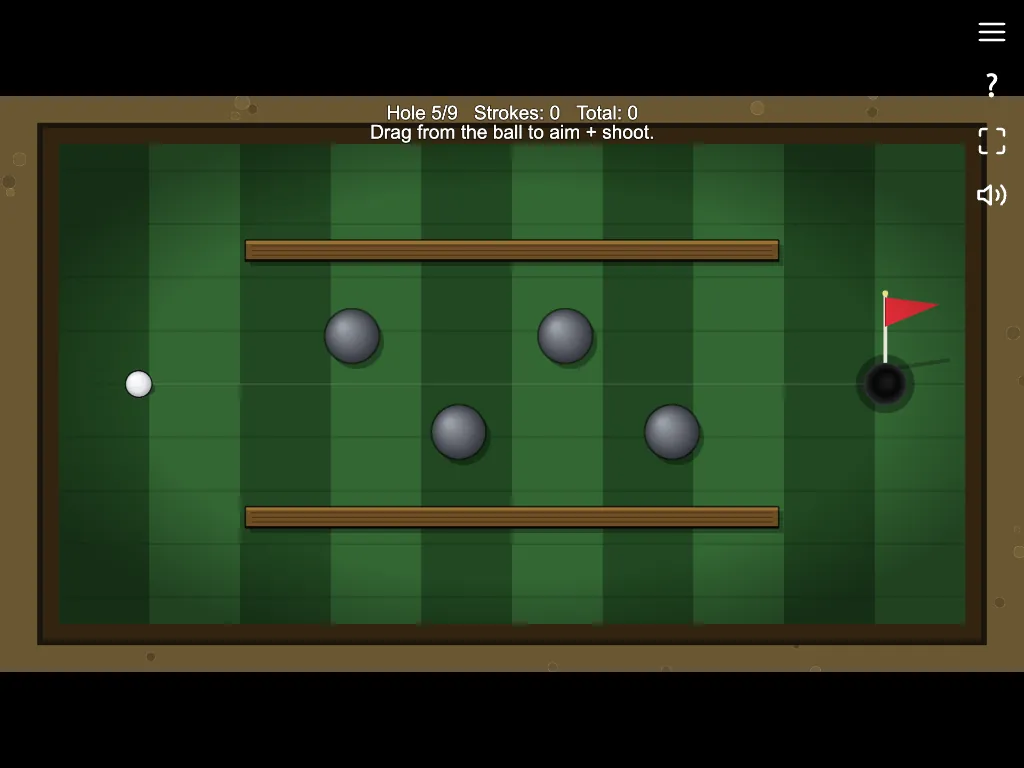
Mini Golf is a nine-hole course seen from above. Each hole is a small green with wooden walls, round bumpers and a flag. You drag back from the ball to aim and set the power, release to hit, and try to sink it in as few strokes as you can. A map on the main screen shows all nine holes.
Later holes add angled walls, narrow lanes and big round obstacles that send the ball off in unexpected directions. The ball is moved by a physics engine, so it rolls, bounces and slows down the way you would expect. The top of the screen shows the hole, your strokes and your total.
The course is drawn in code, with synthesised sounds. Your best total is saved in the browser.
Playing it here
Click Play and the game opens on its title screen. Press Play there to start. The sound can be turned off with the speaker icon in the corner, and the game also has a fullscreen button.
Controls
Click and drag from the ball to aim, then release to shoot. Touch works the same way.
A few things worth knowing
Use the walls. Banking off a wall is often safer than a direct shot past an obstacle.
Pull gently. Most holes need less power than you think.
FAQ
Is there an online leaderboard? No. The game saves your best total in the browser only.
Credits and licence
Mini Golf is one of the games in LittleJS Arcade by Frank Force, and it runs on his LittleJS engine. Both are released under the MIT licence; the licence text is linked from this page. The collection's repository includes notes for AI coding assistants, so the code was written at least in part with AI help. The graphics are drawn by the code and the sounds are synthesised, so the game loads no image or audio files. The source code is on GitHub.