
 Portugues
Pinball
Saved games stay in this browser only.
About the game
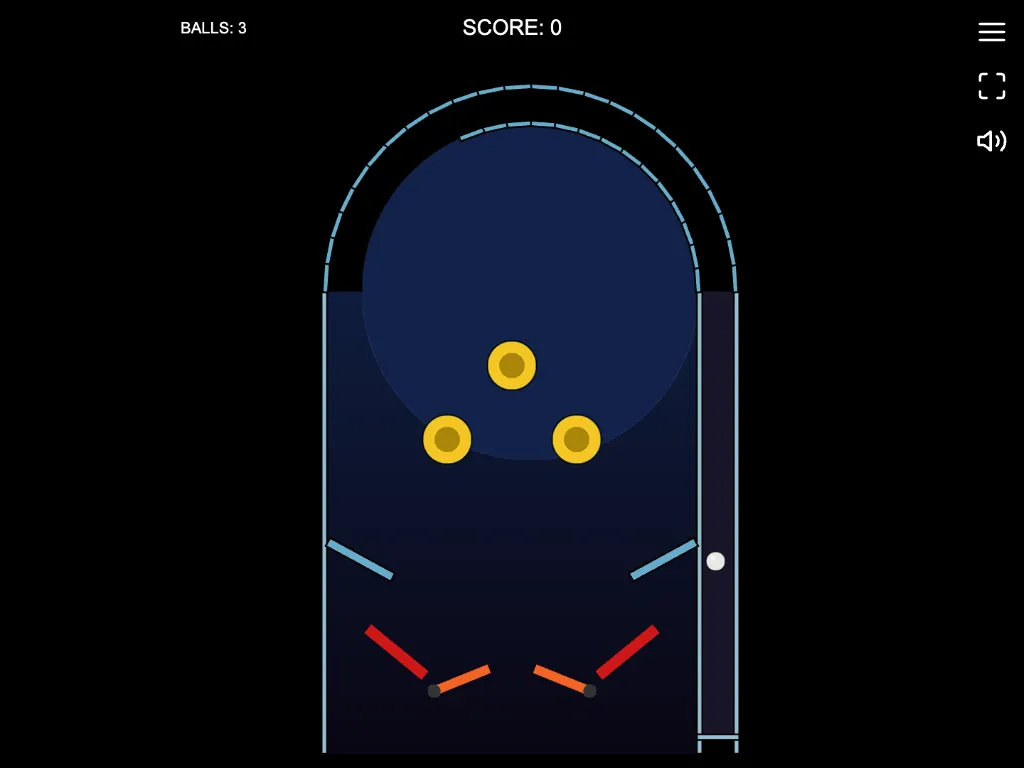
The table is a tall arch with a plunger lane on the right, a pair of red flippers at the bottom and a cluster of round bumpers near the top. Press and hold Space, a flipper key or the mouse button to pull back the plunger, release to launch, and then keep the ball alive with the flippers.
Hit bumpers, slingshots and targets to score points. You have three balls, and you lose one when it goes down the drain between the flippers. The ball is driven by a physics engine, so a shot at a certain angle and speed behaves the way you would expect, and flipper timing matters.
The table is drawn in code with synthesised sounds. Your best score is saved in the browser.
Playing it here
Click Play and the game opens on its title screen. Press Play there to start. The sound can be turned off with the speaker icon in the corner, and the game also has a fullscreen button.
Controls
Left Arrow or Z for the left flipper, Right Arrow or / for the right flipper. Hold to charge the plunger and release to launch.
A few things worth knowing
Hold the ball. Raise a flipper early and let the ball roll up to it, then flick it back.
Charge fully. A full plunger puts the ball into the bumpers right away.
FAQ
How do I launch the ball? Hold Space, a flipper key or the mouse button to pull back the plunger, then release it.
Credits and licence
Pinball is one of the games in LittleJS Arcade by Frank Force, and it runs on his LittleJS engine. Both are released under the MIT licence; the licence text is linked from this page. The collection's repository includes notes for AI coding assistants, so the code was written at least in part with AI help. The graphics are drawn by the code and the sounds are synthesised, so the game loads no image or audio files. The source code is on GitHub.