Portugues
Plee the Bear
Saved games stay in this browser only.
About the game
Plee is a big, grumpy bear who wakes up from a nap hungry for honey, only to find every pot in his house empty. He knows who is to blame: his son, a troublemaker who has run off into the forest. So Plee puts on his cap and goes after him, jumping over gaps, climbing, swimming and slapping everything that gets in his way.
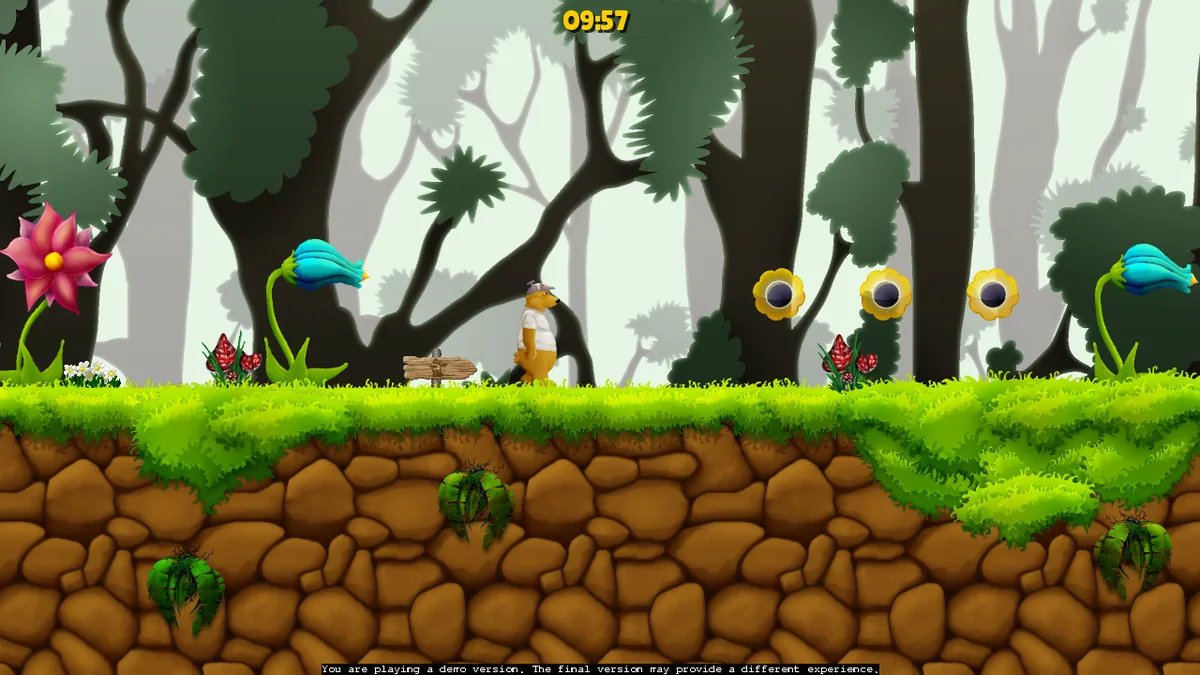
It is a side-scrolling platformer drawn like an animated cartoon, with soft, hand-painted backgrounds, a lot of parallax and big, expressive characters. Levels are wide and open: you walk right, but there are ledges to climb, trees to hang from, water to cross and secret rooms to find. Along the way you pick up bonuses, get past wasps, frogs and woodpeckers, and use the items that give Plee new powers.
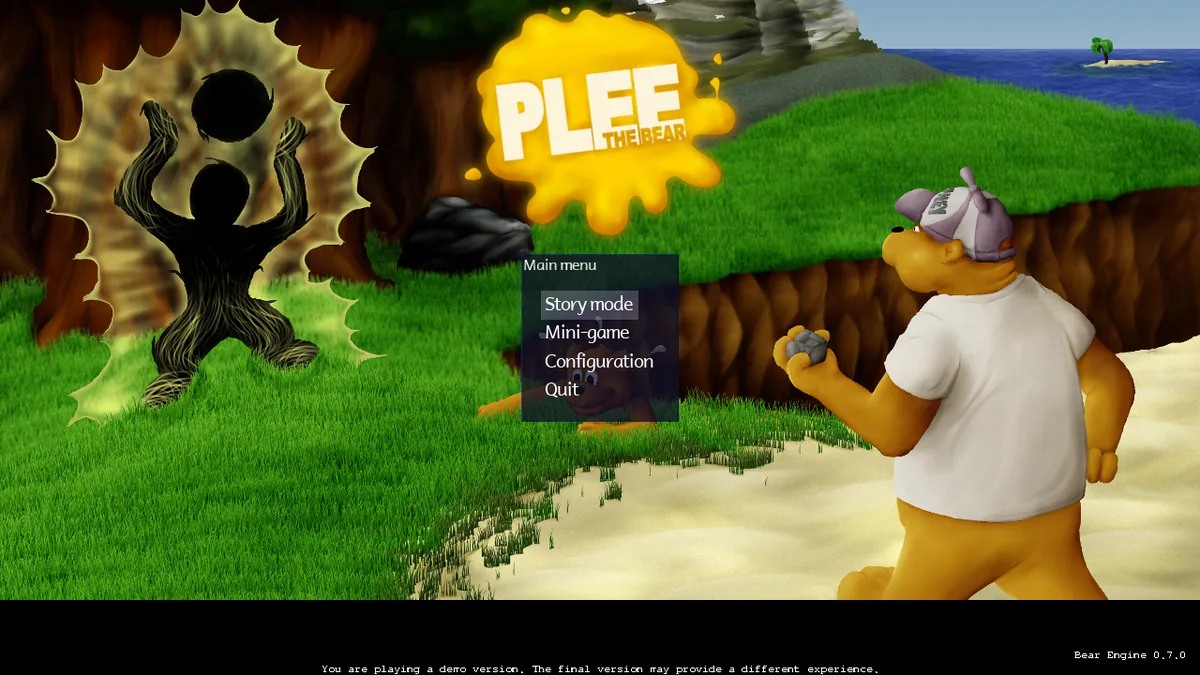
This is version 0.7.1 of the game, built by the Plee the Bear project. The game itself calls it a demo in a line at the bottom of the screen; the data it carries includes forest and castle levels, a boss fight and five mini-games.
Playing it here
The browser version is the game and its Bear engine compiled for WebAssembly from the project's source code. The download is about 55 MB; your browser keeps a copy, so the next start is faster. The game opens at 1280 by 720 and the page scales it to fit. It needs a keyboard; a mouse helps in the menus. It is not made for phones.
On the first start, choose Story mode, then create a profile by typing a name and pressing Create. Your profiles, options and progress stay in this browser until you clear the site's data. The game's own full screen, resolution and quit options do nothing here.
Controls
| Key | Action |
|---|---|
| Left, Right arrows | walk |
| Up arrow | look up |
| Down arrow | crouch and look down |
| Space | jump (look up and hold it to jump higher) |
| F | slap (in mid-air, to cling to a wall) |
| D | throw a stone |
| S | change the stone you hold |
| C | move the camera |
| T | talk to characters |
| Esc | pause menu |
| Enter and arrows | choose in the menus |
You can change the keys under Configuration in the main menu.
Tips
Follow the guide at the start. The first area has a talking guide that explains the moves one by one: jumping, clinging to walls, stones and the powers. Read the Configuration menu first to see the keys.
Jump higher. Look up and hold the jump key; let go at any moment to jump. Pressing another key cancels the jump.
Cling to walls. Slap in mid-air next to a wall and Plee clings to it; jump from there to climb. Hold Down to look below you: wasps and other threats often wait there.
Slap the bonus boxes. Breaking a box with a slap gives you stones, which reach enemies that are out of range. Checkpoints mean that when you fall you come back to the last one.
Find the mini-games. They are unlocked by doing well in the levels; the menu tells you what each one asks for.
Credits
Plee the Bear was made by Stuff-o-Matic: Sebastien Angibaud and Julien Jorge created and programmed it, with art by Raphael Giudici, Julien Lassalle and Julien Jorge, music by Florian Massuyeau and Julien Jorge, and sound by Philip Bradbury, Sebastien Angibaud and Julien Jorge, among others (the full list is in the license file). The software is under the GNU General Public License version 3, and the images, sounds, music and levels are under the Creative Commons Attribution-ShareAlike license, version 3.0. A few sound effects come from PD Sounds, a public-domain collection. The three fonts of the original that have no free license were replaced here by Comic Neue and Lilita One (SIL Open Font License). The browser version is a modified version of the project's code; the changes and the full source code are hosted with the game. FredyGames is not affiliated with Stuff-o-Matic or the Plee the Bear project.
FAQ
Is the game free? Yes. Both the code and the art are free software, and you can play it here at no cost.
Is my progress saved? Yes, in this browser, in the profile you create at the start. It stays until you clear the site's data.
Why is there a "demo version" line? It is part of the game as the project released it.
There is no sound. Click on the game once, or press a key; browsers keep audio off until you interact with the page.
Screenshots