
 Portugues
Pattern (Simon Tatham's Puzzles)
Saved games stay in this browser only.
About the puzzle
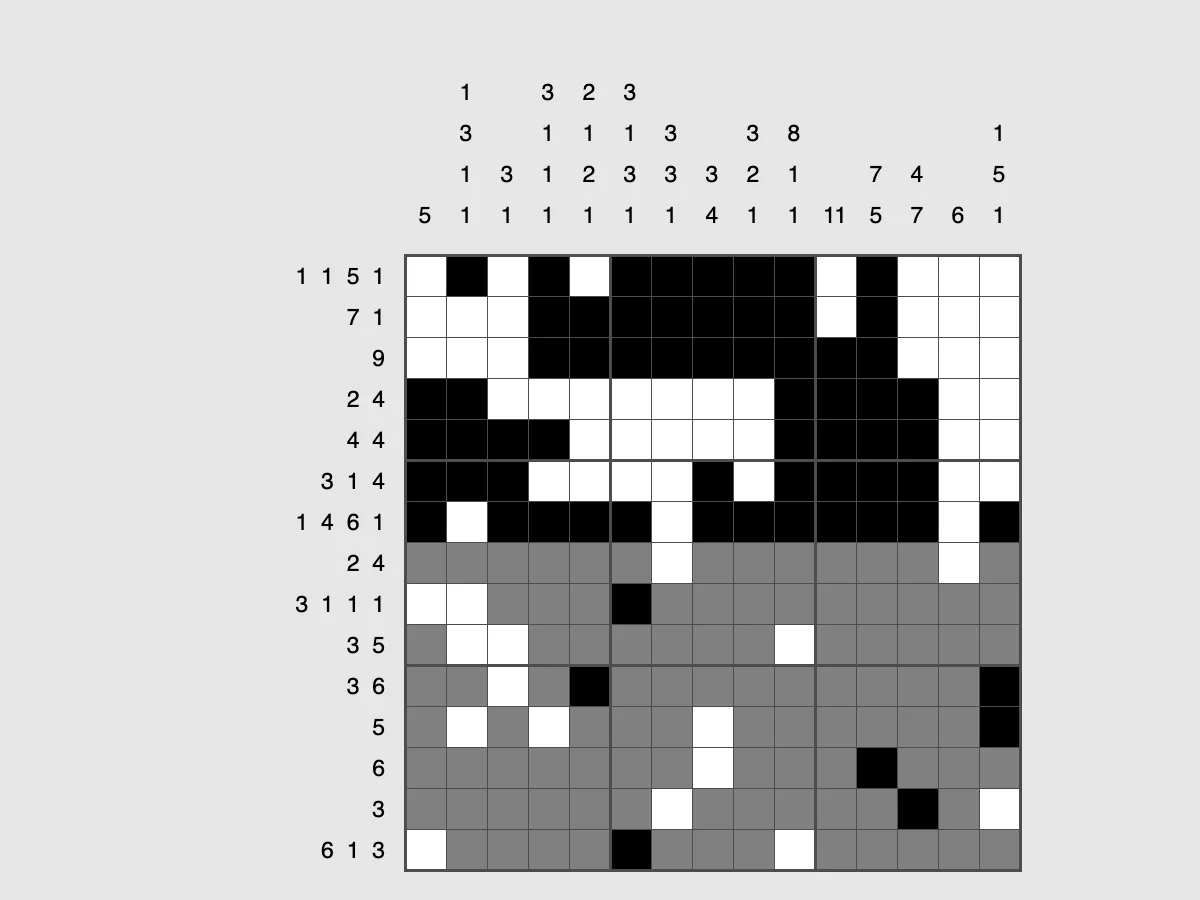
Pattern is the puzzle many people know as a nonogram, or as "paint by numbers" logic. Every square of the grid must end up black or white. Next to each row, and above each column, is a list of numbers: the lengths of the blocks of black squares in that line, in order. From those clues alone you work out the whole grid.
In printed nonograms the finished grid is a picture. Pattern generates its puzzles automatically, so the result is a random arrangement of blocks rather than a drawing. That turns out to be a good thing for a logic puzzle: you cannot guess the next square from the shape of a cat's ear, so every square has to be deduced. And you never run out of puzzles.
Rules
- Each clue is the length of one block of consecutive black squares.
- The blocks in a line appear in the same order as their clues, left to right or top to bottom.
- Between two blocks there is at least one white square.
- A line with no clue (or a 0) is entirely white.
Controls
| Input | Action |
|---|---|
| Left click | paint the square black |
| Right click | mark the square white |
| Middle button / Shift+click | return the square to undecided (grey) |
| Drag with left or right | paint a row or column of squares |
| Drag with Shift or middle | clear a rectangle |
| Arrow keys | move the cursor |
| Enter / Space | cycle the square: grey, black, white (Space goes the other way) |
| Ctrl / Shift + arrows | paint black / white while moving |
| N / U / R | new game / undo / redo |
How to solve it
Use the overlap. If a line has length 15 and a single clue of 10, the block must cover the middle squares wherever it sits: slide it all the way left and all the way right, and the 5 squares covered in both positions are black. The same trick works with several clues: push them all to one end, then to the other, and any square where the same block lands in both cases is certain.
Full lines are free. When the clues plus the single gaps between them add up to the length of the line (for example 3 4 2 in a line of 11), there is only one way to place them.
Mark the whites. White marks are just as important as black squares. Once a block is complete, the squares at both its ends are white, and those marks cut the remaining space into smaller pieces where the overlap trick works again.
Go back and forth. Every square you settle in a row is a new clue for its column. Sweep the rows, then the columns, and repeat until the grid is done.
Edges anchor blocks. A black square touching the edge, or a white mark, fixes where a block starts, so the block can be completed at once.
Sizes
The Type menu offers 10x10, 15x15 (the default), 20x20, 25x25 and 30x30, and Custom accepts any width and height. Larger grids are not much harder in technique, just longer: they make a good half-hour puzzle.
Playing here
Click Play to open the puzzle. The menu above the board has New game, Restart, Undo, Redo and Solve (which you can undo to keep going on your own), the Type menu with the sizes, and the Game menu, where you can type in a game ID or a random seed, download the current game as a file, load a saved file and change the preferences. Your game in progress is kept in this browser and comes back with its whole undo history the next time you open the page.
On a touch screen, tapping or dragging works like the left button (black); turn on the Mark button above the board to paint white instead.
Credits and licence
Pattern is part of Simon Tatham's Portable Puzzle Collection, written by Simon Tatham with code contributed by several other authors, and distributed with its source code under the MIT licence. This page runs a WebAssembly build made by FredyGames from the author's official source snapshot, with no changes to the puzzle; the source and the build script are hosted with the game, and the licence text is linked from this page.