
 Portugues
Untangle (Simon Tatham's Puzzles)
Saved games stay in this browser only.
About the puzzle
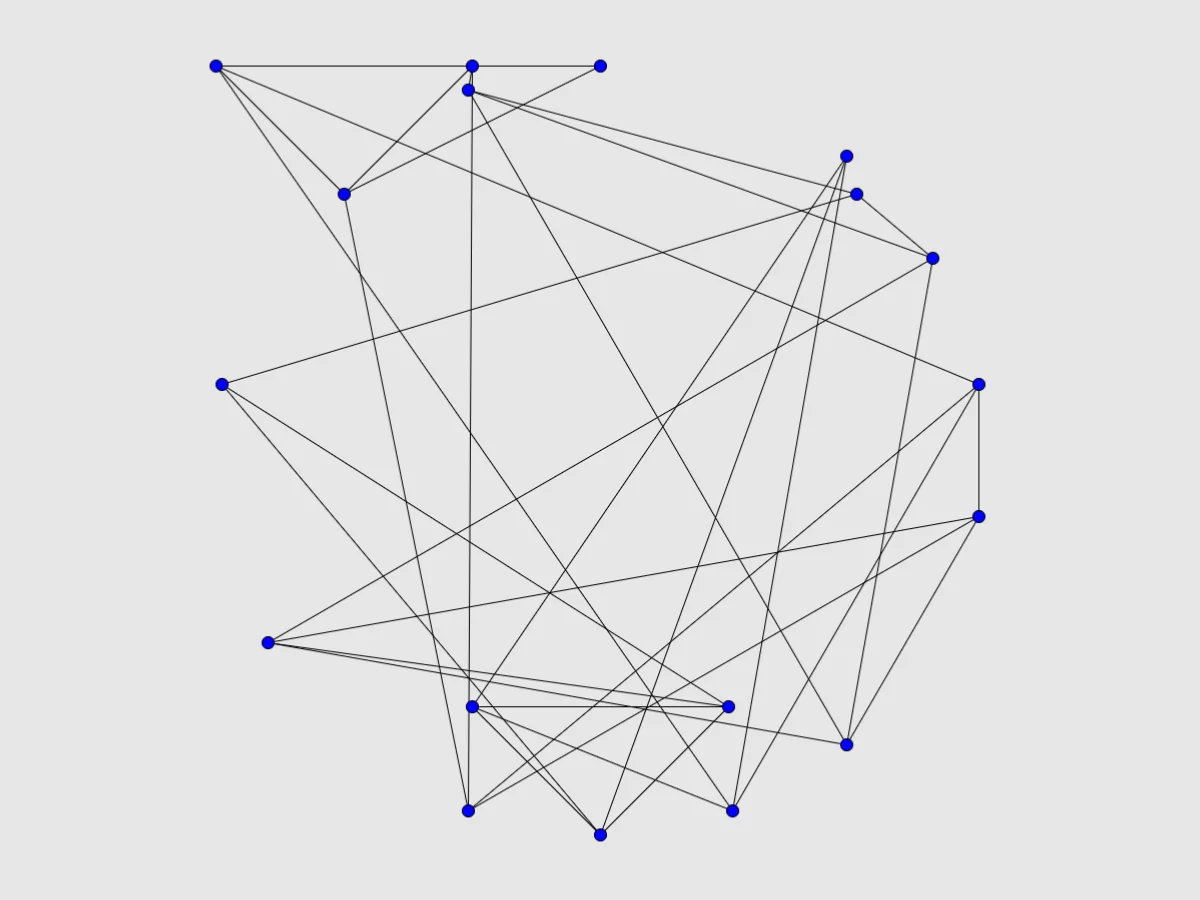
Untangle shows a knot of points joined by straight lines, with lines crossing all over the place. You can pick up any point and put it anywhere; the lines stretch to follow it. The goal is to arrange the points so that no two lines cross. When you manage it, the drawing flashes and the puzzle is done.
Behind the simple idea is a piece of mathematics: every puzzle is a planar graph, a network that can be drawn without crossings, shuffled into a mess. So a solution always exists, and there are usually many. Simon Tatham added it to his collection in 2005, after John Tantalo's Flash game Planarity.
There is no clock and nothing to lose, which makes Untangle one of the most relaxing puzzles in the collection.
Rules
- Points can be moved anywhere inside the board.
- Lines are always straight and always join the same two points.
- The puzzle is solved when no two lines cross each other.
If you want help, Preferences (in the Game menu) can draw every line that crosses another in red, and can snap the points to an invisible grid.
Controls
| Input | Action |
|---|---|
| Drag with the left button | move a point |
| Arrow keys | move between points |
| Tab / Space | cycle through all the points |
| Enter | pick up or put down the highlighted point |
| N / U / R | new game / undo / redo |
How to solve it
Find a triangle and build out from it. Three points that are all joined to each other make a clean triangle. Put one in the open, then bring in the points attached to it one at a time, placing each where it creates no crossing.
Pull out the leaves. Points with only one or two lines are easy to place anywhere. Move them to the edge first; the busy middle becomes much clearer.
Spread everything out. It often helps to drag all the points to a big ring around the board and then pull them inwards in groups, rather than fixing crossings one at a time in a crowded middle.
Turn on the crossing highlight when stuck. With "Show edges that cross another edge" on, the red lines show exactly where the remaining problems are. If a point has all its lines in red, it is probably on the wrong side of something.
Faces are the key on bigger puzzles. In a finished drawing the lines divide the board into regions. Once you have a few regions drawn cleanly, each remaining point has to go inside the region bordered by its neighbours.
Sizes
The Type menu has puzzles with 6, 10 (the default), 15, 20 and 25 points. Custom accepts any number of points; above 30 or so, the puzzle becomes a long and satisfying project.
Playing here
Click Play to open the puzzle. The menu above the board has New game, Restart, Undo, Redo and Solve (which slides every point to a solution, and can be undone), the Type menu with the sizes, and the Game menu, where you can type in a game ID or a random seed, download the current game as a file, load a saved file and change the preferences. Your game in progress is kept in this browser and comes back with its whole undo history the next time you open the page. On a touch screen, drag the points with your finger.
Credits and licence
Untangle is part of Simon Tatham's Portable Puzzle Collection, written by Simon Tatham with code contributed by several other authors, and distributed with its source code under the MIT licence. This page runs a WebAssembly build made by FredyGames from the author's official source snapshot, with no changes to the puzzle; the source and the build script are hosted with the game, and the licence text is linked from this page.