
 Portugues
Urbanity
Saved games stay in this browser only.
About the game
Urbanity is a compact city builder played in turns of one year. You start with a little money and an empty map, and you spend it on buildings: houses and apartment blocks for people to live in, shops, offices, farms and factories to give them jobs, roads, rail and ports, schools and hospitals, parks and, much later, landmarks. When you are done for the year, you end the turn, collect the year's income and see how the city has changed.
The heart of the game is satisfaction. Each building likes some things and dislikes others, mostly in the eight squares around it: a house enjoys nearby shops, parks and a school but hates pollution and too many towers next door, while some services, such as a hospital, help the whole city at once. A satisfied business earns a bonus on its income, and high satisfaction is also what unlocks most of the later buildings, each with its own conditions shown when you point at it.
You also have to keep jobs and population in balance. Too many empty jobs cause a labour shortage that cuts your revenue, while too many unemployed people leave you short of money for public services. There are dozens of buildings to unlock, so a city can turn into a financial centre, a port, a seaside resort or an industrial hub, depending on how you plan it.
Playing it here
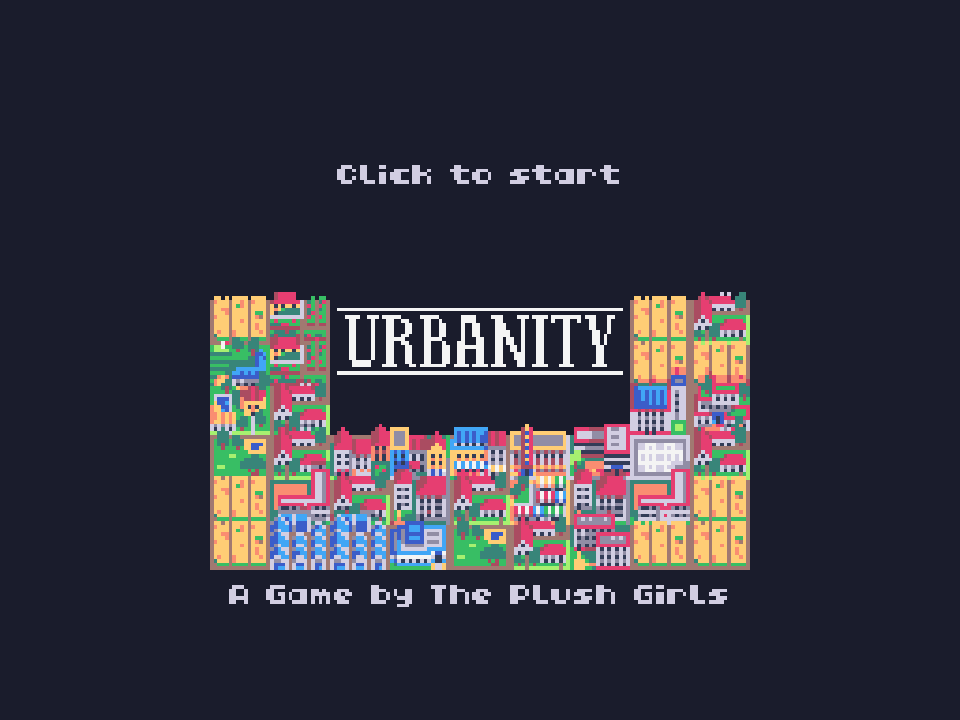
Urbanity was made for TIC-80, a fantasy console: an imaginary 1980s-style computer with a 240 by 136 screen and 16 colours, for which independent developers write new games. The Plush Girls wrote it in the Fennel programming language for the Autumn Lisp Game Jam 2025, and it runs here in the official TIC-80 web player.
The game is played entirely with the mouse or by touch, so it needs one of the two; it is most comfortable with a mouse, and the keyboard and gamepad are not used. Click Play, wait for "Click to start" and click. Then pick an empty slot to found a new city, or a saved one to carry on. Cities are kept in this browser, in eight slots, but only when you press the save button: anything since the last save is lost when you close the page. Esc opens the TIC-80 menu. The game has no sound, and its texts are in English.
Controls
| Input | Action |
|---|---|
| Left click or tap | choose a tool, a building or a square; press buttons |
| Pointing at a button or building | shows what it does, its price or how to unlock it |
| Right click, or the X button at the top left | cancel the current action |
| On-screen keyboard | type the name of a new city (a button beside it picks a random name) |
| Esc | TIC-80 menu |
A few things worth knowing
Save often. The "Save game" button on the left panel writes your city to its slot. Nothing is saved automatically, so press it before you close the page.
Give every building several reasons to be happy. Each kind of benefit only counts up to a limit, so a house next to five shops is not much happier than one next to two. A mix of shops, green space and services nearby works better.
Watch the job balance. The population and finance screens show jobs, residents and income. If "Labour shortage!" appears, build homes before more workplaces. Demolishing a building gives back half of what it cost.
Credits and licence
Urbanity was created by The Plush Girls, who made the code, the design and the pixel art. It is free software under the MIT licence, chosen by the authors in the header of the cartridge published on tic80.com and on the game's itch.io page. It runs here in the TIC-80 web player (MIT licence). The licence text is linked from this page.