
 Portugues
UzeSnakes
Saved games stay in this browser only.
About the game
UzeSnakes is the snake game everybody knows, made with care for a small open-source console. Your snake slides across a wide field, you steer it towards the food, and every bite makes it one segment longer. Run into a wall or into a snake, your own tail included, and the round is over. With no walls in the way, leaving one side of the field brings you back on the other.
Every few bites a special item appears somewhere on the field, worth 5 points when you collect it. The money is a plain bonus that adds three segments at once, the scissors cut three off, and one item slows you down for ten seconds. Others are tricky: one doubles your speed for ten seconds, one swaps the directions of the arrows for ten seconds, and one turns the snake around so that its tail becomes the head, which can be the way out of a tight spot or the end of the run.
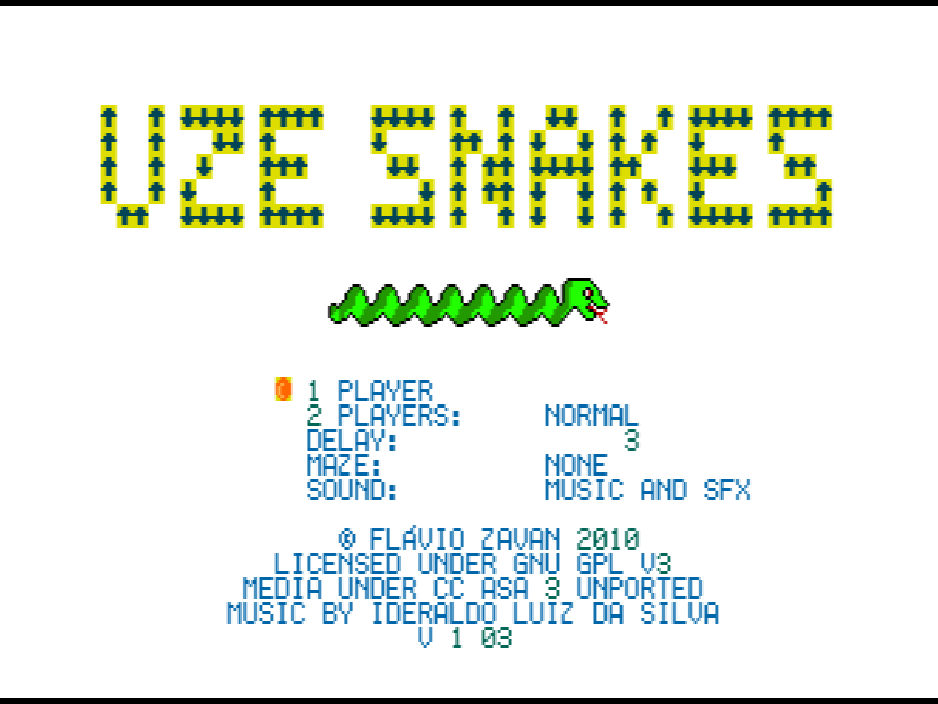
Before starting you can pick one of four layouts (an open field, a walled border, four rooms divided by a cross, or a set of hallways) and the speed, from 0, the fastest, to 31, the slowest.
Two players get four modes of their own. In Normal, the first snake to crash loses. Speedup is the same, but both snakes get faster every ten seconds. In Growth, a snake that crashes starts again from scratch, and the first one to reach a chosen length wins. In Timed, a crash also starts you over, with the score back at zero, and the higher score when the clock runs out wins.
Playing it here
This is a homebrew game made for the Uzebox, an open-source game console that hobbyists build themselves: a new game by an independent developer, not a commercial release. It runs here in CUzeBox, a Uzebox emulator compiled to WebAssembly, from a ROM we built from the author's source code. Click Play, and once the menu appears press Z on "1 Player" to start.
The menu is driven with the arrows and the Z key, which is the Uzebox B button; Enter is only used to pause. To play against someone, put the cursor on "2 Players", pick the mode with Left and Right and press Z. Growth and Timed then ask for the target length or the number of minutes.
The keyboard and the first gamepad both control player 1; the second player needs a second gamepad. The game does not keep scores between visits, but F2 saves the full state of the emulator and F4 brings it back. The game is in English.
Controls
| Key | Uzebox button | Action |
|---|---|---|
| Arrow keys | D-pad | steer the snake; move through the menu and change options |
| Z | B | confirm in the menu and in the pause menu |
| Enter | Start | pause (Resume or Quit); back to the menu after a match |
| F2 / F4 | — | save / load the emulator state |
A few things worth knowing
Think one turn ahead. The snake keeps moving whatever you do, so plan the next turn before you need it, especially near walls and your own tail.
Use the edges. On the open field the sides wrap around, which is often the shortest way to the food and a good escape when the middle gets crowded.
Watch the timer. While a ten-second effect is running, its countdown is shown at the top of the field. Inverted controls are the dangerous one: keep your turns small until the effect wears off.
Speed is your choice. If the default feels hectic, raise the delay a few steps in the menu; lowering it towards 0 is a real test of reflexes.
Mute or keep the music. The Sound line in the menu switches between music and effects, music only, effects only or silence.
Credits and licence
UzeSnakes was created by Flávio Zavan, who wrote the code and drew the graphics; its two songs were composed by Ideraldo Luiz da Silva, and some of the sound effects are based on the default instruments of the Uzebox kernel by Alec Bourque. The code is free software under the GNU General Public License, version 3 or later, and the graphics and music are under the Creative Commons Attribution-ShareAlike 3.0 Unported licence. The build served here was compiled from version 1.03 in the author's repository together with the Uzebox kernel (also GPL), which becomes part of every game; their complete source code and the build script are hosted alongside the game, and the licence texts are linked from this page.