
 Portugues
Anarch
Saved games stay in this browser only.
About the game
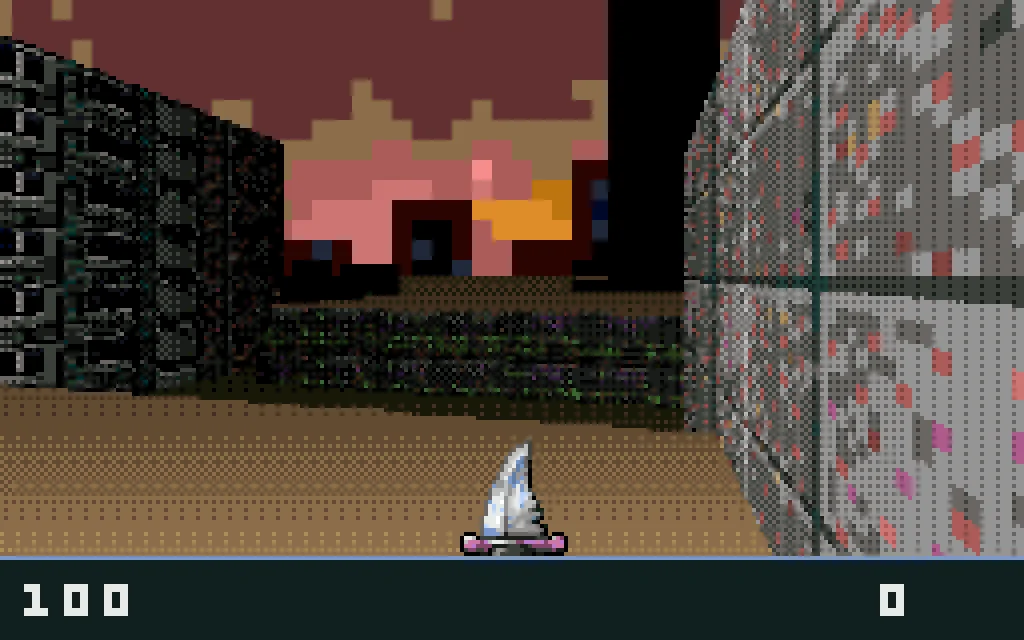
Anarch is a first-person shooter in the style of the early 90s: blocky corridors, sprites that always face you, a status bar along the bottom and enemies that come at you the moment you open a door. A corporation's artificial intelligence has turned on its makers and filled the city with robots, and you set off alone towards its headquarters. Every enemy in the game is a machine, from small spider bots and gun turrets to heavily armed destroyers and robots that rush at you and explode.
There are ten levels, each a self-contained map with an exit somewhere inside. Locked doors need the key card of the same colour, found elsewhere on the level. Health packs and ammunition lie around the maps, and explosive barrels are worth shooting from a safe distance. Ammunition is also what opens up your arsenal: bullets feed the shotgun and the machine gun, rockets the rocket launcher and plasma cells the plasma gun, and the knife is always there when everything runs dry. The game keeps track of your time and your kills on every level.
The whole thing is remarkably small. The game, with every texture, sprite, level, sound effect and music track, is under a megabyte, because everything is drawn and played by the program itself instead of being loaded from files. Miloslav Číž, who goes by drummyfish, wrote the code, drew the art, recorded the sounds and composed the music on his own, and released all of it into the public domain so that anyone can study it, modify it or build on it. The same code runs on tiny handheld consoles as well as on computers.
Playing it here
This is the current version of Anarch, compiled for the browser from the author's official source code. The download is under 1 MB, and the game plays entirely offline once it has loaded. The only change we made is that the browser version now remembers your progress: unlocked levels, a saved position and your settings stay in this browser. Clearing this site's data deletes them.
The game is controlled with the keyboard. The left mouse button also fires, but looking around with the mouse is not available in the browser version, so turn with the arrow keys. Use the player's full-screen button for a bigger picture.
Controls
| Key | Action |
|---|---|
| Up / W | walk forward |
| Down / S | walk back |
| Left / Right | turn |
| A / D | strafe left / right |
| K or Shift + Left / Right | strafe left / right |
| Space | jump |
| Enter, J, Ctrl or left click | shoot, confirm |
| K or Shift | cancel |
| P / X | next weapon |
| O / Y / Z | previous weapon |
| F | cycle through weapons |
| Tab | map |
| Escape | menu |
Menu and saving
Choose a level. On the title menu, highlight Play and press Left or Right to pick any level you have already reached, then confirm. At first only the first level is available.
Save at the end of a level. When you reach the exit, the game shows your time and kills and asks whether to save. Press Right for yes or Left for no. A saved position keeps your health, ammunition and weapons, and Load on the title menu continues from there.
Sound and look. The Sound option turns music and sound effects on or off. Look changes how the view tilts when you look up and down.
Tips
Check the map. Tab shows the parts of the level you have already walked through. When you are stuck, it often reveals a corridor you passed by or a door you have not opened yet.
Watch the key indicator. The coloured squares in the status bar are the key cards you carry. When one blinks, you are standing next to a door that needs a card you do not have yet.
Keep the knife for emergencies. It needs no ammunition, but it only works at arm's length. Switch to a gun before you round a corner.
Mind the barrels. An exploding barrel hurts everything nearby, you included. Shoot it while enemies stand around it, not while you do.
Save when you are healthy. The end of each level is the only place to save. If you finish a level with almost no health, it can be better to answer no and keep your previous save.