
 Portugues
Chessamphetamine
Saved games stay in this browser only.
About the game
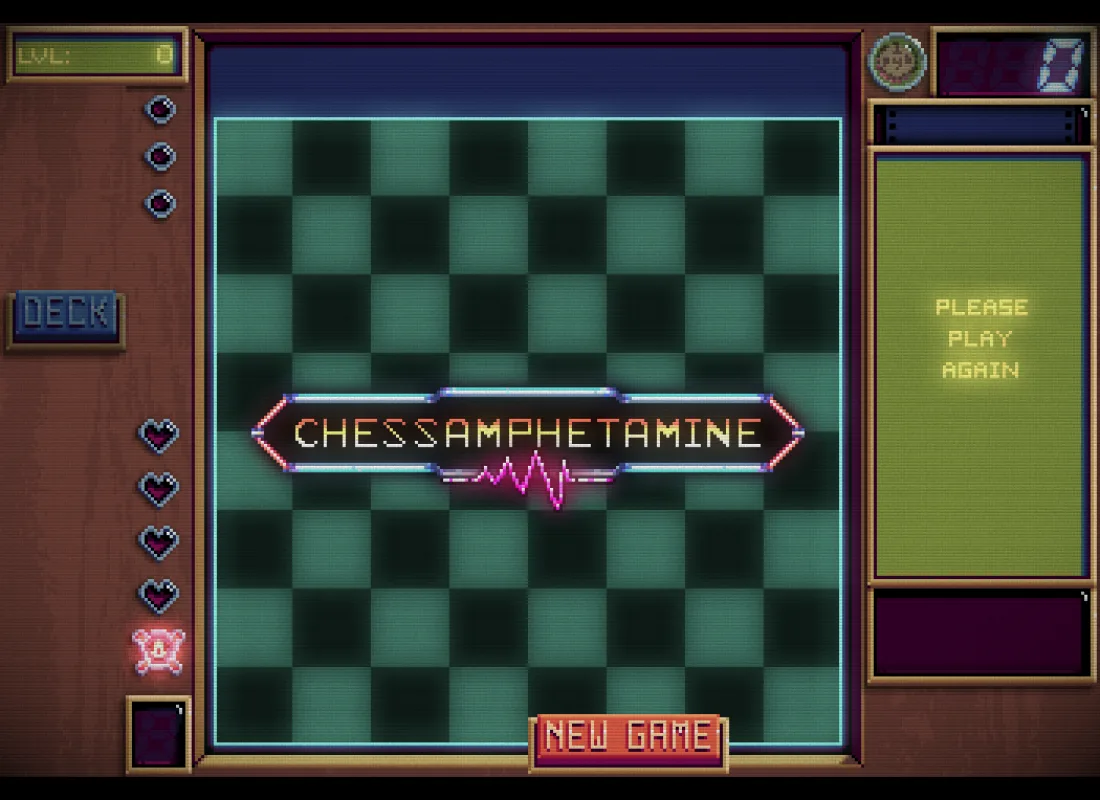
Chessamphetamine is a chess game where you do not play the moves. You build the army, and the army plays. Every battle is an ordinary chess position, a board of eight by eight squares with your pieces in yellow on your side and the computer's in blue on the other, and the aim is the old one: capture the enemy king and keep your own. In between you shop for better pieces, and the pieces you own make up a deck.
A round starts with a draft. Your deck is shuffled, and a handful of its pieces come up in a column at the left of the screen. You choose which of them to put into play and where on your side of the board they go; pieces already placed can be swapped around. Pieces you do not like can be drawn again with the Draw button, but only a few times, so the draw is a choice you pay for. When you are ready you press Go. The armies then fight it out by themselves, and you watch the chess happen: a checkmate for one side ends the battle.
A win takes you to the shop. There you spend what you earned on new pieces to put into the deck, so the shop is where the deck is built over the course of a run: some pieces are cheap, others are rare, a few are on sale, and you can lock the ones you want to keep for next time or pay to reroll the shop. A loss costs you one of your lives, the hearts down the left side. Lose them all and the run is over; start a new game and a fresh deck.
Not everything is a plain chess piece. Laser rooks, bishops, pawns and queens fire beams along their lines after they move. Doubling pieces double the special effects of the squares around them, and adding rooks add to them. A rocket destroys a random enemy piece and then itself, and some pawns and queens earn money each time they move. The strength of a deck is not in the pieces alone but in how they combine, which is what makes a good run.
Chessamphetamine was made by Jason Rohrer and released in 2026 as a public-domain work, source and game data included. It is drawn in pixel art on a screen that imitates an old CRT monitor, with its own music and sound effects.
Playing it here
This is a browser version of the author's public-domain source code, made by FredyGames. It is not the author's own release, and he did not make it, approve it or endorse it. The game is the original: we only added the browser platform layer that it needs to run on a web page, and we changed nothing in the game itself.
The download is about 10 MB, mostly pictures and sounds. Click the game to give it the keyboard and the mouse; the sound starts after the first click. Your game and your settings are saved in this browser, so you can leave and come back, and clearing this site's data erases them. The game can be set to English, French or Traditional Chinese from the menu (Esc). The full-screen option does nothing here, since the page is already the window, and gamepads are not supported.
Controls
| Input | Action |
|---|---|
| Click a piece in the left column, then a square on your side | deploy that piece |
| Click two deployed pieces | swap their places |
| Draw button | redraw the pieces on offer (a few times per round) |
| Deck button | look through your deck, page by page |
| Go button | start the battle |
| Click an item in the shop | buy it |
| Padlock under a shop item | keep it in the shop for next time |
| Reroll and Done buttons | refresh the shop, or close it and go on |
| New Game button | start over |
| Esc | open the menu: volume, language and controls |
Getting started
Read your pieces. Click on a piece to see what it does: the ordinary chessmen move as in chess, and the special ones say what they do on a line under their name.
Draft for the board. Look at where the blue pieces are before you place yours. A knight next to the enemy king or a rook on an open file does more than the same pieces at the back.
Spend, but do not waste. The shop is the only way to make the deck better, so buy what combines with what you already have, and use the padlock for a piece you cannot afford yet.
Tips
Chain the specials. A doubling piece that sits where a laser will fire doubles it, and an adding rook adds one to every square along its lines. Place them so that their squares overlap with the lasers.
Keep the king safe. The king moves one square in any direction, and the battle is lost if yours is captured. Put it behind your pieces at the start.
Use the unlocks. Reaching high enough levels unlocks permanent bonuses: more room on the sideboard, an extra shop slot, or a piece that is always on sale. Their requirements are shown as you play.
Frequently asked questions
Do I move the pieces myself? No. You choose which pieces to play and where they start, and the battle runs by itself.
Is there an ending? The game goes on through harder levels until you run out of lives, and the level number shows how far you got.
Is it the official version? No, it is an unofficial browser port. The author's own release is a different thing.
Does it work on a phone? It is built for a mouse and a keyboard. Touches act as mouse clicks, so a tablet may work.