
 Portugues
DreamBall
Saved games stay in this browser only.
About the game
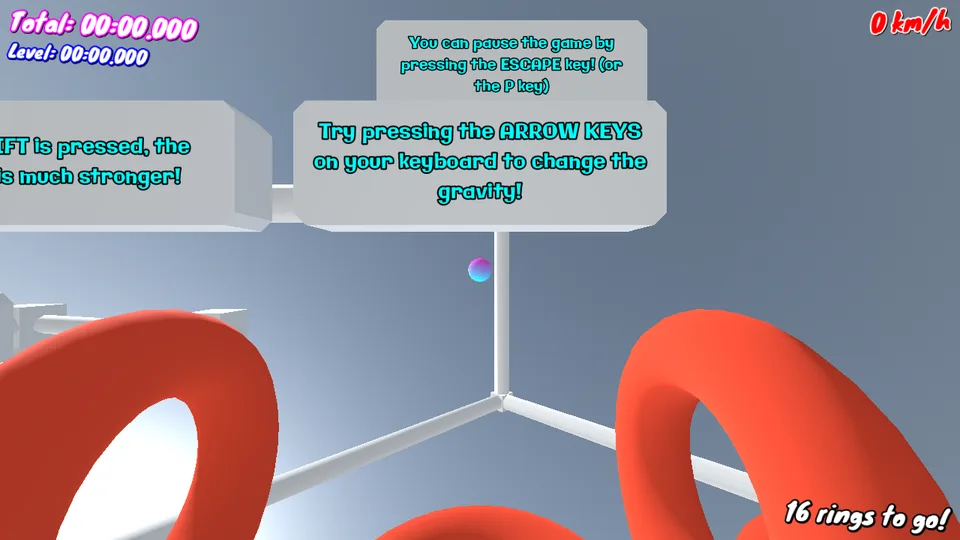
DreamBall is a game about one idea: you do not push the ball, you turn the world around it. The ball floats in a bright, strange sky, and the only thing you control is which way gravity points. Up, down, left, right, and a stronger pull when you hold Shift. Every level scatters a number of big red rings through the air, and the level ends when the ball has passed through all of them, in any order you like.
It sounds simple and it is easy to learn, and the first few rings fall quickly. Then you try to take the rings in a clean line, to keep your speed up and to avoid the walls, and the game turns into a hunt for a better time. Each level keeps your best time and awards medals, and there are three save files, so a family can share the game without overwriting one another.
There are seven settings to fly through: the Skies, the Forest, the Night, the Tower, the Skatepark, the City and the Pinball Box. Each has its own look and its own music, built layer by layer from drum, bass and synth loops that join as you collect rings. The game started as a 48-hour entry for the 21st Alakajam in 2025, and its author kept working on it afterwards, adding the save files, the medals, the settings and three languages (English, French and Japanese).
Playing it here
Click Play and wait for the game to load (about 20 MB, downloaded only when you press the button). Choose "Start the game!", pick a save file, press Start, pick a level and press Play. The first level, the Skies, explains the controls with signs floating in the air. The game uses the keyboard; the menus can also be clicked with the mouse. Use the language option in the settings if you prefer French or Japanese.
Controls
| Key | Action |
|---|---|
| Arrow keys or W A S D | change the direction of gravity |
| Shift (hold) | a much stronger gravity |
| Ctrl (hold) | show the map of the level |
| R | restart the level |
| Esc or P | pause / resume |
| Enter, Space or click | confirm in the menus |
Tips
Think about momentum. The ball keeps moving after you change gravity, so turn the pull a little before you reach a ring, not on top of it.
Use Shift for corrections. The stronger gravity bends the path much faster, which helps when you are about to miss a ring or a wall.
Check the map. If you lose track of which rings are left, hold Ctrl to see the layout of the level.
Take any order. The level is over when every ring has been collected, so plan a route instead of chasing the nearest one.
FAQ
Does it work on a phone? No. The game is played with the keyboard.
Is my progress saved? Yes, in the three save files, kept in your browser on this device.
Is it free to share? Yes. The author released the code and all the assets into the public domain under the Unlicense; the three fonts keep their SIL Open Font License.
Credits and licence
DreamBall was made by Taevas. The game, including its code, art and sounds, is in the public domain under the Unlicense. The fonts are Galindo (Brian J. Bonislawsky, Astigmatic), Knewave (Tyler Finck) and Mochiy Pop One (The Mochiypop Project Authors), all under the SIL Open Font License 1.1. It runs on Godot Engine 4.5.1, under the MIT licence.
One change was made for this site: the credits screen no longer has the buttons that opened the author's website, the code repository and the Godot website, because the game here never leaves the page. Nothing else in the game was changed. The licence texts and the source of this build are linked from this page.