
 Portugues
Fujo
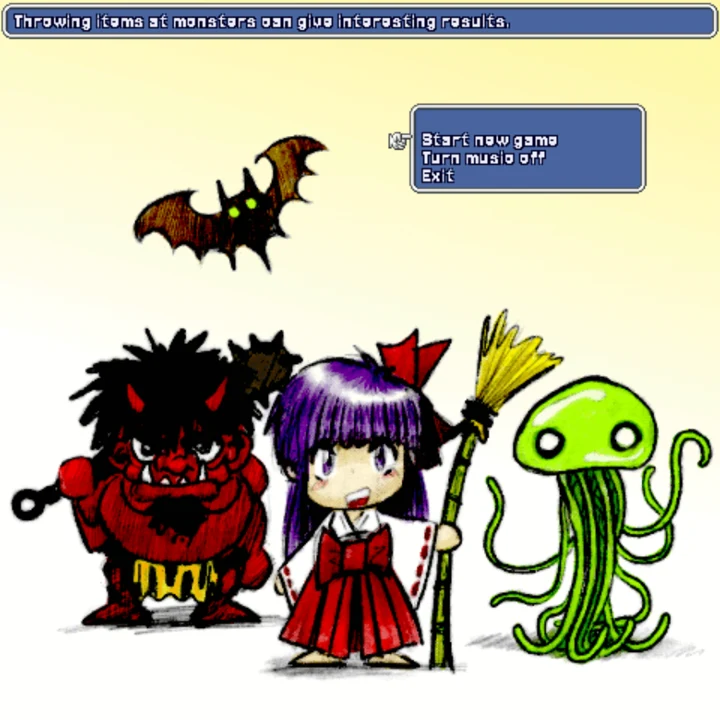
Saved games stay in this browser only.
About the game
You are a young temple maiden, and the monsters have carried you off to their cave. Worse, you have just overheard their plan: they are going to ambush the villagers and kill them all. You search your pockets, and all you find is a single paper charm with a spell on it, and you have no idea what it does. It is up to you to get out and warn the village.
Fujo is a turn-based dungeon crawl in the tradition of the old roguelikes, drawn as a pretty top-down game. Nothing moves until you do, so you can take as long as you like to think. You walk into a monster to attack it, and it can and will hit you back, so it is wise not to hit everything that moves: many monsters leave you alone unless you anger them, and they get angry when they see you taking their things. Tanukis can hide by turning into other objects, so a suspicious chest or rock might be the enemy.
The caves are full of items. You must eat regularly, or you starve, and food also heals you a little. Weapons raise your attack and amulets your defense. And there are the small slips of paper with magic symbols: you can use one on yourself or throw it at a monster, but most of them are unidentified. You find out what a charm does by trying it, and from then on you will know that kind when you meet it again. There is no way back to an earlier save: if you die, you start again from the beginning, and you are expected to die a lot at first.
Playing it here
The first time you click Play the page downloads the Python runtime and the pygame library (about 23 MB), which takes a few seconds; after that a "click to start" message appears, and one more click opens the title screen. The download is kept by your browser, so the other pygame games on the site open faster. Nothing is loaded from other sites.
The game saves by itself at the start of each floor, and the "Continue" line of the title screen picks up from there. The save is kept in this browser only, and it is deleted when you die. The "Exit" line of the menu just brings the title screen back, since there is nothing to exit to on a web page.
Controls
| Key | Action |
|---|---|
| Arrow keys | walk (hold two for a diagonal step); walking into a monster attacks it |
| Ctrl + arrow | turn to face a direction without walking |
| Space | wait one turn |
| Enter | open the inventory (use, throw or drop an item) |
| Esc | menu |
In the menus, Up and Down choose and Enter selects.
A few things worth knowing
You throw in the direction you face. Turn with Ctrl first. Throwing an item at a monster can have interesting effects, but it costs you the item.
Equip what you find. A weapon in your hand and an amulet around your neck only help once you equip them from the inventory ("in hand" and "worn" show next to their names).
Do not pick fights you do not need. Many monsters ignore you until you hit them or take their things. When you want to rest, wait with Space and keep an eye on your health at the bottom of the screen.
Keep some food. Hunger is a clock, and eating is also how you heal.
Frequently asked questions
Is there a way to go back after dying? No, that is the point: the game deletes your save when you die, and you start over.
Does it work on a phone? It needs a keyboard, so it is meant for a computer.
Is it free? Yes: the code, the pictures and the music are free to use under a Creative Commons licence.
Credits and licence
Fujo was made by Radomir Dopieralski (code and graphics) in 2014, with music by Joanna Piechowiak, and released under the Creative Commons Attribution-ShareAlike 4.0 licence. This version changes the code only to make it run in a browser (a port to Python 3, asynchronous loops, a bigger window, the save in the browser) and replaces the font with Jersey 15 (SIL Open Font License 1.1); the changes are released under the same licence, and the exact source and the licence texts are linked from the Licenses page. The game runs on pygame-ce (LGPL-2.1) and CPython, whose licences and source are linked there too.