
 Portugues
GO FROG
Saved games stay in this browser only.
About the game
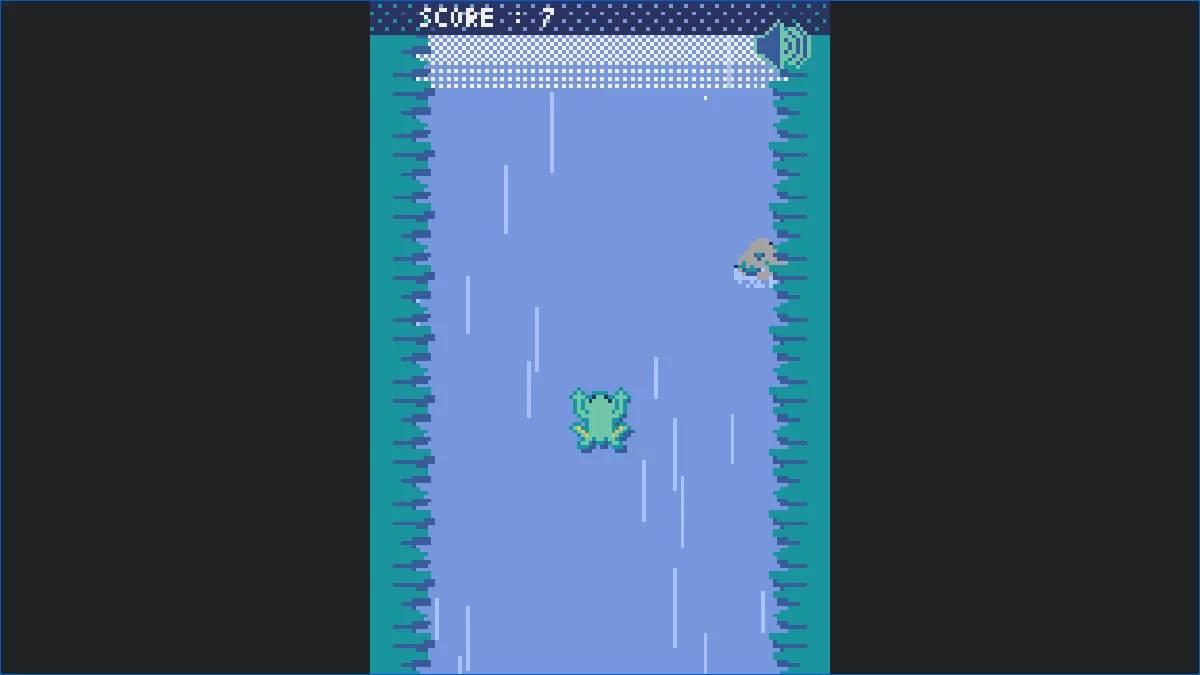
A small frog is in a river, and the current is against it. You have two controls, left and right, and each tap makes the frog hop forward and a little to that side. Between hops the current drags it back down, so you cannot just stand still: you have to keep hopping, and you have to hop in the right direction, because rocks are coming down the river and one hit ends the swim.
The score is how far you have travelled upstream. The farther you go, the faster the water runs, so a run starts gently and ends in a scramble. It is a game for short tries, with a simple rain-on-water look, a tune and a button in the corner to turn the music on and off.
GO FROG was made by Naoya Okayama (okapping) with the Pyxel engine, and it was designed to be played on a phone as well as on a keyboard.
Playing it here
The first time you click Play the page downloads Pyxel and the Python runtime (about 15 MB), which takes a few seconds; after that the game shows a "click to start" prompt, and one more click starts it with sound. Nothing is loaded from other sites, and the only thing the game remembers is whether you turned the sound off, which is kept in this browser.
On the web we turned off the Esc key that closes the game on the desktop, because on a web page it would only freeze the screen, and we removed the SHARE button of the game over screen, which opened a page on another site. After a game over, Enter goes back to the title screen.
Controls
| Input | Action |
|---|---|
| Left arrow | hop to the left |
| Right arrow | hop to the right |
| Click on the left or right half of the screen | the same, with the mouse or a finger |
| Enter | start from the title screen, and go back to it after a game over |
| Click on the speaker icon | turn the music on or off |
A few things worth knowing
Do not wait. The current pulls you back, so a short pause costs you the distance you just gained.
Zigzag to avoid rocks. Each hop moves you sideways a little as well as forward, so alternating left and right keeps you in the middle while a single direction takes you to the bank.
Look at the top of the screen. Rocks come in from there, so you see them a moment before they matter.
Frequently asked questions
Is there a high score? The score of the last run is shown on the game over screen; the game does not keep a record.
Can I play it with a touch screen? The game was made for that too: touching the left or right half of the screen hops to that side. On this page the touch pad is shown too.
Does it work on a phone? Yes, the game itself is controlled by touching the left or right half of the screen, but we have not tested it on a phone through this page.
Why does it say "click to start"? Browsers only allow sound after you interact with the page, so the Pyxel launcher asks for one click before it starts the game.
Is it free? Yes: the game is open source under the MIT licence, and the source of this build is available from this page.
Credits and licence
GO FROG was made by Naoya Okayama (okapping), the only author of the repository, with the code, the pixel art and the sounds (in a Pyxel resource file and in the code) under the MIT licence. The build served here removes the SHARE button of the game over screen and turns off the Esc key that quits; both changes are published as a patch with the source. It runs on the Pyxel engine (MIT) and the Pyodide runtime (MPL-2.0), whose licences and source are linked from the Licenses page.