
 Portugues
H8 2: Carry Flag
Saved games stay in this browser only.
About the game
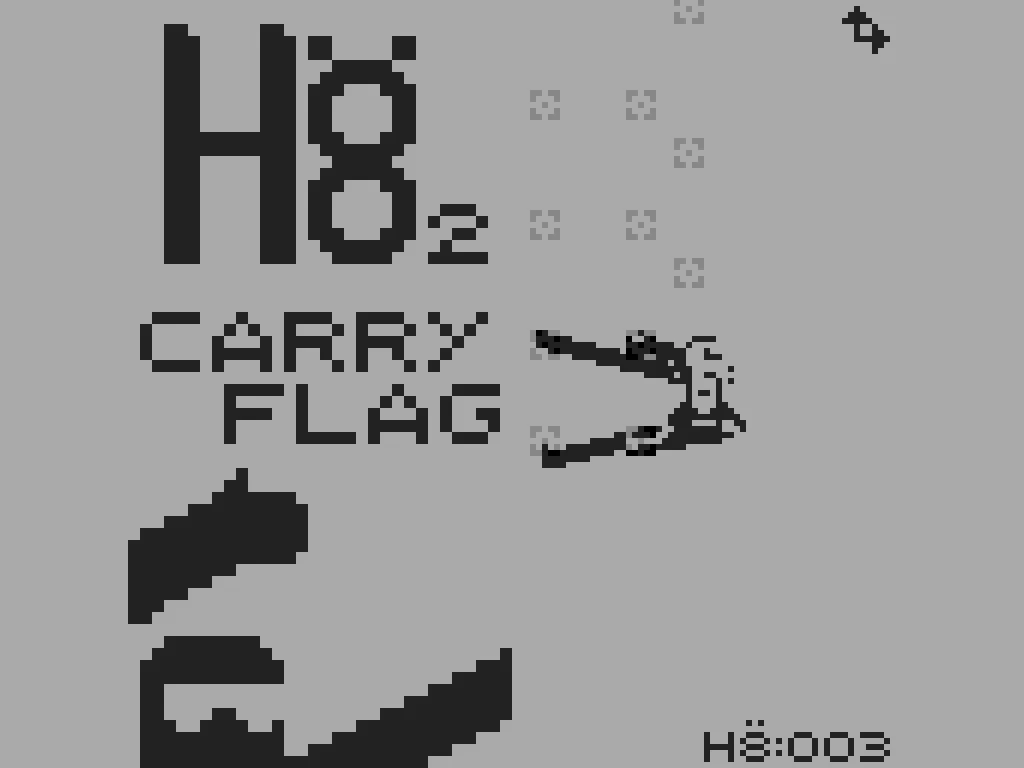
H8 2: Carry Flag is a climbing game where you move your climber one limb at a time. The screen stands on its end, like a tall slice of rock face, and is dotted with small holds. Your climber has two arms and two legs that stretch much further than any real person's, and the whole game is about where you put them.
You pick a hand or a foot, steer it to a hold and latch it there. Once your limbs are set, you shift your body upward and start again. A small gauge on the climber's chest shows how much further your limbs can reach, so a stretch that is too ambitious simply will not happen. There are two rules that shape every move: both hands may share a hold, and so may both feet, but a hand and a foot can never grab the same one.
The summit is a little over 120 height units up, and the counter at the bottom of the screen tracks your progress. There is no timer and no score: the goal is to reach the top, where a short ending waits. A brief story before the climb explains why there is a flag to carry.
Playing it here
This is the author's own program, unchanged, with the speed, colours and upright screen of his web release. It is a sequel to h8, the SUPER-CHIP climbing game John Deeny made for Octojam IV from Chromatophore's idea, which is also on this site. Both games are released under the MIT License.
Controls
| Key | Action |
|---|---|
| Q / E | pick and latch the left / right arm |
| Z / C | pick and latch the left / right foot |
| X | pick the body (once the limbs allow it) |
| W A S D or arrows | move the picked limb or the body |
| 2 | cancel the current limb move |
| 4 | show the map of the cliff and your height |
| F2 / F4 | save / load the emulator state |
Tips
- Watch the chest gauge. It tells you how much stretch is left before you pick a far hold.
- Move the body often. Shifting your weight up after a couple of good holds brings the next row within reach.
- Use 2 when stuck. If a limb wanders off the screen, cancelling puts it back where it was so you can reposition the body first.
- Check the map. The map screen shows where the holds are on the whole cliff and how far up you are.
- Save before a risky reach. F2 stores the exact moment, and F4 brings it back.