
 Portugues
Licar
Saved games stay in this browser only.
About the game
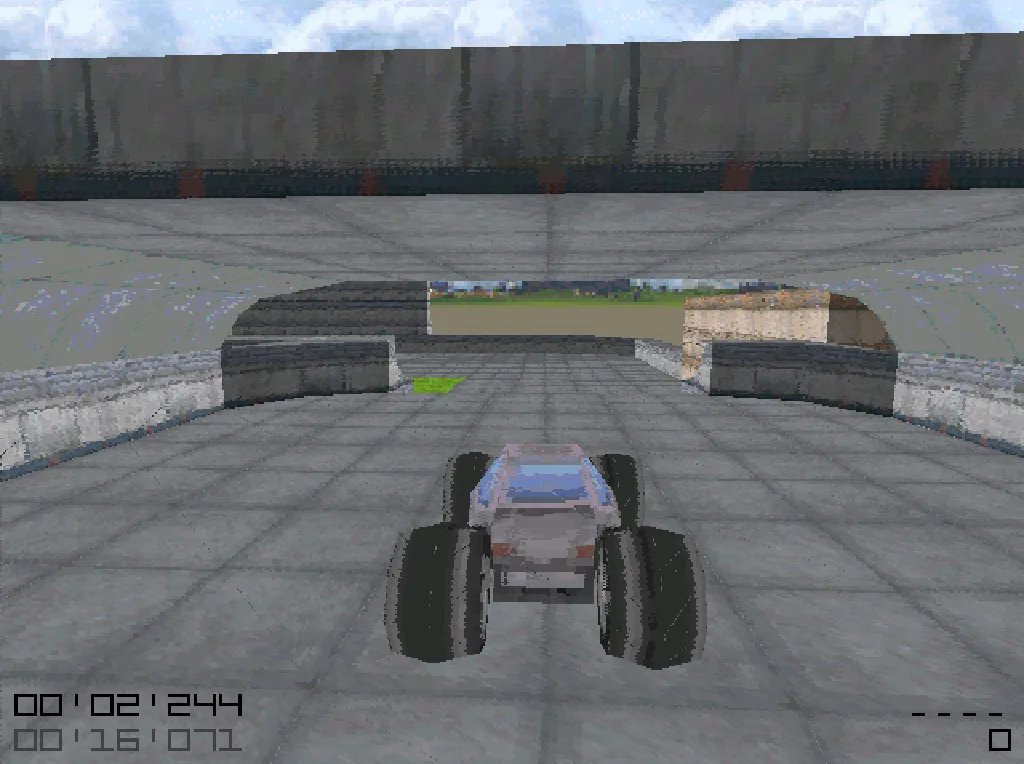
Licar is a time-attack racing game with a stunt-track flavour. There are no rival cars: each map is a floating course of concrete, grass, mud and ice with ramps, walls and boosters, and the only opponent is the clock. You start the run, drive through every green checkpoint in any order and then reach the red finish marker. A target time sits at the bottom left of the screen, and the whole point is to beat it, then beat your own time again.
The surfaces matter: concrete, grass, mud and ice each handle differently, so the line you take is not always the straight one. A bright orange pad gives a burst of speed and a fan throws the car into the air, which is where most of the fun is: airtime costs speed, but a clean landing on the next ramp can skip half a track. Tapping the brake in the air stops the car from spinning and slows its drift, and tapping it while steering starts a skid.
Everything about the game is unusually small. The whole thing, with its own 3D physics and software renderer, its textures, car model, maps and sounds, fits in less than a megabyte of code, because Miloslav Číž (drummyfish) wrote and drew all of it himself and embedded the data in the program. He released it into the public domain so anyone can study it, change it or build on it.
Playing it here
This is the browser build of Licar compiled from the author's official source code. It has the eight maps that come inside the game: LC1 to LC5 and three shorter ones called LCtiny. The game opens on its menu: press Right to reach the Play map tab, choose a map with Up and Down and press Enter.
The browser version does not read or write files, so there are no saved replays, no ghost cars and no custom maps, and the game has no music here (the author leaves it out of the web build). Sound effects work, and the menu has an option to turn them off. We only raised the picture quality compared with the author's own web version (it draws at 640 x 480 instead of a doubled 512 x 400) and made the menu's Exit entry reload the game, instead of leaving it stuck.
The physics is deterministic and does not depend on the frame rate, so a run plays out the same on a slow computer as on a fast one. The picture looks blocky on purpose: it is a real software renderer working on a small bitmap.
Controls
| Key | Action |
|---|---|
| Up / W | accelerate |
| Down / S / Space | brake, reverse |
| Left / Right, A / D | steer |
| K or Enter | restart the run, confirm in menus |
| L or Escape | open the menu / go back |
| Left / Right in the menu | switch between Main menu, Play map and View replay |
| Up / Down in the menu | choose an entry |
The main menu lets you change the camera, switch sound on and off and exit.
Tips
Do not chase a perfect run at once. Drive a decent one, then try to improve a corner at a time. Strong players need hundreds of attempts on a map; the restart key makes that painless.
Stay on the ground. In the air the car only loses speed. Jump when a ramp saves distance, not just because it is there.
Brake in the air to land straight. Holding the brake stops the car from spinning and bleeds off sideways speed, which helps you aim at the next surface.
Look for shortcuts. The obvious route is rarely the fastest. The shortest way is not always the quickest either: a wider turn with more speed at the exit often wins.
Credits and licence
Licar was made by Miloslav Číž (drummyfish) and is released under CC0 1.0, with a waiver of all other intellectual property rights. The licence texts and the list of our changes are linked from this page.
FAQ
Is there anyone to race against? No. Licar is a time-attack game: you race the clock and your own earlier runs.
Can I save my best time or a replay? Not in the browser. The game keeps its data in a file next to the program, and a web page cannot do that.
Why is there no music? The author's web build leaves it out, and so does this one. The menu still has a music switch, which does nothing here.
The game does not react to the keys. Click on the game once and try again, so that the page gets the keyboard focus.