
 Portugues
LMarbles
Saved games stay in this browser only.
About the game
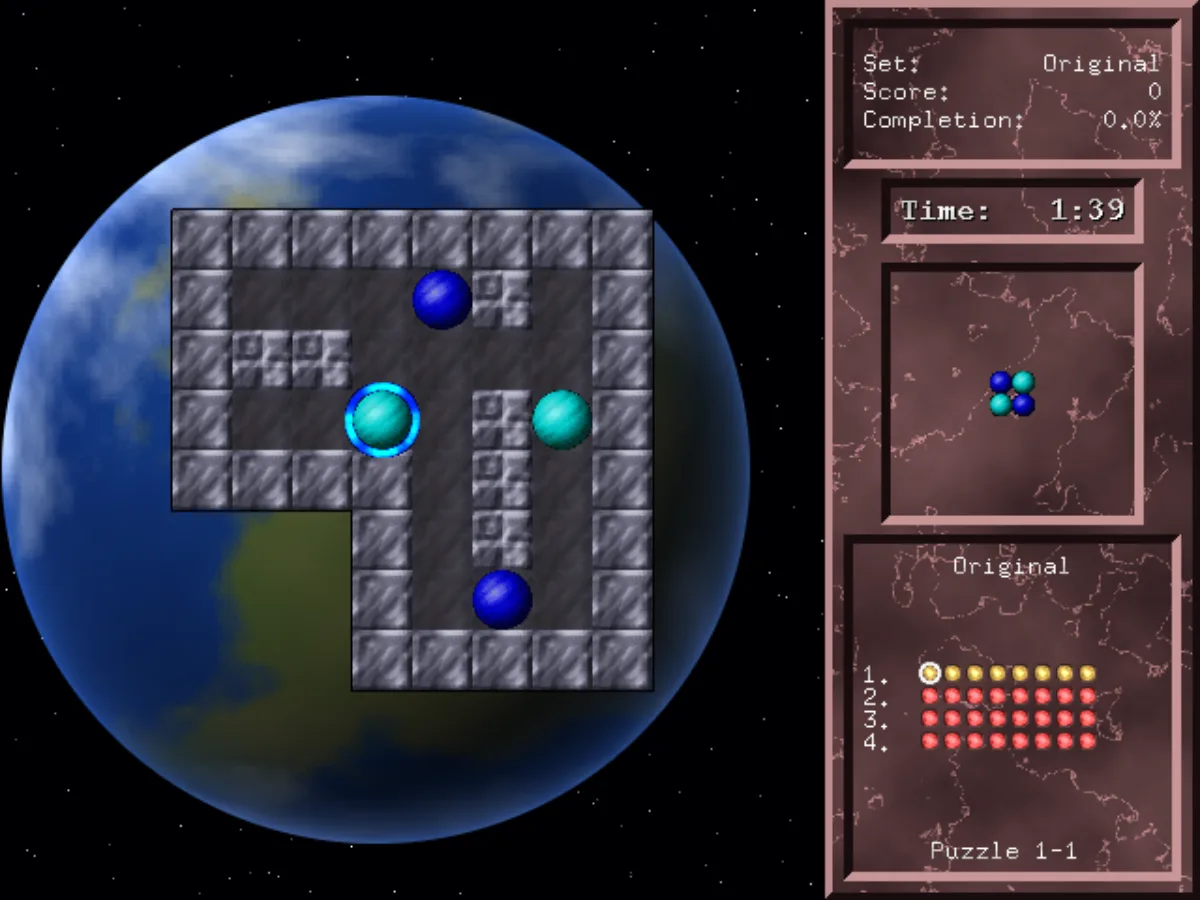
LMarbles is a puzzle game in the tradition of Atomix. Each puzzle is a small walled board with a handful of coloured marbles, and a pattern shown in the side panel. Your job is to push the marbles around until they sit together in exactly that pattern, anywhere on the board.
The catch is how the marbles move. Once you send a marble rolling, it keeps going until it runs into a wall or another marble. You can't stop it halfway, so a marble that has to end up in the middle of an open area needs something to stop against first. Most puzzles come down to working out which marble goes where first, so the others have something to stop against.
Later puzzles add more to think about. Arrow tiles turn a marble that rolls over them, and stop it if it comes in from the side the arrow points at. Striped barriers only let marbles through in one direction. Teleports send a marble out of the matching teleport, still rolling the same way. Crumbling walls stop a marble a few times and then break; a small number shows how many hits they have left.
The game was written by Michael Speck of LGames, who first released it in 2000 and updated it in 2026 with new puzzle limits, ratings and SDL2 support. It comes with one set of 32 puzzles in four chapters: Tutorial, A few problems, Sometimes Tricky and Hardcore.
Playing it here
This is version 1.2 of LMarbles, the latest release, compiled for the browser from the author's source code. The download is about 3 MB, and the game plays offline once it has loaded. Your progress and settings are kept in this browser; clearing this site's data deletes them. The game is in English.
A few things differ from the download on the LGames site. The game always fills the player window, so there is no fullscreen option in the menu. The menu background, the side panel and the three level backdrops are new images drawn for this version: the originals are photos with no credit in the game's package, so they were replaced.
Controls
| Input | Action |
|---|---|
| Left-click a marble | select it |
| Point the mouse beside the marble, then left-click | roll it that way (the pointer turns into an arrow) |
| Arrow keys | roll the selected marble |
| Right-click | release the marble |
| Space | undo the last move |
| R | restart the puzzle |
| P | pause |
| Escape | return to the menu, after you confirm with Y or N |
| Click a light in the bottom-right panel | go to another puzzle |
On the main menu, Escape closes the game; reload the page to start it again. The movement keys and the undo key can be changed under Controls.
Getting started
Choose a limit. New Game has two settings that matter. Limit picks whether each puzzle gives you a time limit or a move limit, and Mode picks between Normal, which gives you plenty of room, and 5 Stars only, which gives you only the time or moves that earn a five-star rating. Progress is kept separately for time and for moves.
Read the target. The middle box of the side panel shows the pattern to build. Colours matter: each marble has to end up in a spot of its own colour.
Use the lights. The lights at the bottom right show every puzzle of the set. Red ones belong to a chapter that is still locked, yellow ones are open, green ones are solved and blue ones are solved with the top rating. Solve every puzzle in a chapter to open the next one; inside a chapter you can play them in any order.
Tips
Build from the walls. Marbles only stop against something, so patterns usually grow from a wall or a corner outwards. Work out which marble can reach its final spot on its own, and place the rest against it.
Count before you move. Before you roll a marble, follow its path to the first thing in the way. If that isn't where you want it, look for a marble you can move first to act as a stopper.
Undo freely. Space puts the last marble back where it was, as long as it didn't hit a crumbling wall. It costs nothing to try a move and take it back.
Go back for stars. Each solved puzzle gets a rating of up to five stars for how much of the limit you used. Score is only awarded the first time you solve a puzzle, but a better rating raises your completion percentage, and a blue light shows the puzzles you have mastered.