Portugues
Open Surge
Saved games stay in this browser only.
About the game
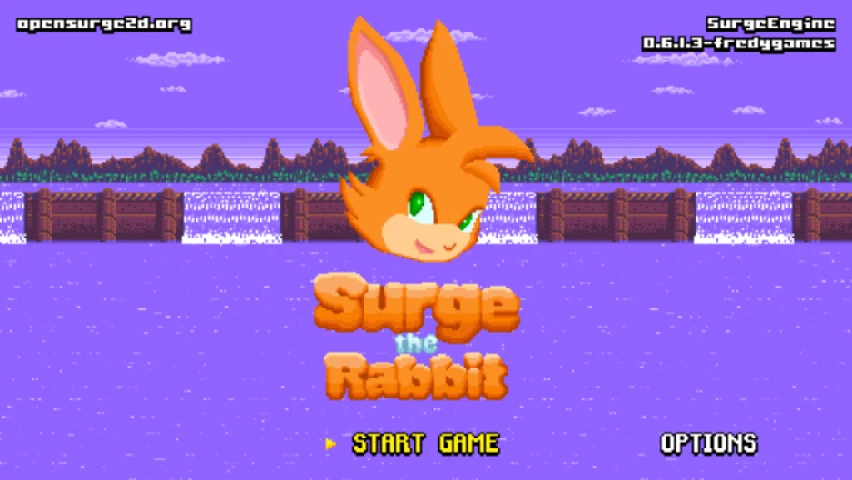
Open Surge is a free game engine for fast 2D platformers, and Surge the Rabbit is the game that comes with it. You play Surge, a rabbit who runs through levels built from slopes, loops, springs and long pipes, picking up speed on the way down and curling into a ball to roll through tunnels. The feel of the movement is the point of the game: a well-timed jump, a roll down a hill and a run through a curve are what the levels are made for.
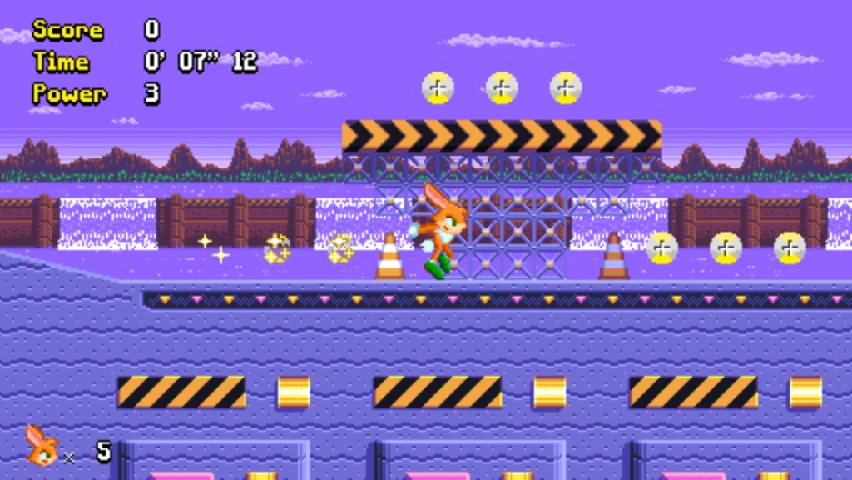
The first world is Waterworks Zone, a harbour of purple skies, pipes and water gates, with robots and animals in the way and a boss at the end. Each stage counts your score and your time, and you collect Power as you go. You start with five lives. A second quest with the classic levels, Sunshine Paradise and more Waterworks acts, opens after the main one, and the options menu has a stage select.
The engine is scripted in SurgeScript, a small language made for it, which is why so much of the game (enemies, bosses, menus, even the pause screen) is a script that anyone can read. This page runs the same game that the project publishes for desktop computers.
What is in it
- Surge the Rabbit. The main quest, with title cards, bosses and cutscenes.
- Classic levels. Sunshine Paradise and the classic Waterworks acts.
- Three characters. Surge, Neon and Charge, all made for the game; Neon can join Surge as a second player, and the character list also has Tux, the Linux penguin.
- Many languages. The menus can be switched to a dozen languages under Options.
Playing it here
The browser version is the engine and the game compiled to WebAssembly from the project's source code. The download is about 45 MB; your browser keeps a copy, so the next start is faster. Your options and progress stay in this browser. It works best with a keyboard on a computer; a gamepad works too.
Click on the game once so it receives the keys. The options that need files from your computer (loading MODs), the links to websites and the level editor files are not part of this version.
Controls
| Key | Action |
|---|---|
| Left, Right | run |
| Up | look up |
| Down | crouch; while running, curl into a ball |
| Space | jump (menus: confirm) |
| Left Ctrl | second action button (menus: cancel) |
| Enter | confirm; pause during a level |
| Esc | back |
You can change the controls under Options.
Tips
Keep your speed. Slopes give speed back when you run downhill and take it away when you climb. Curl into a ball with Down to go faster and to fit through the tunnels.
Jump out of the ball. Jumping while rolling carries your speed into the air, which is how you reach the high platforms.
Collect Power. The Power counter on the screen goes up as you pick up the bolts along the way.
Learn the boss. Each boss has a pattern. Watch it once, then wait for the opening to hit it.
Credits
Open Surge was created by Alexandre Martins (alemart) and is made with the help of many contributors. The code of the engine is under the GNU General Public License version 3 or later, the SurgeScript scripts are under the MIT license, and the images, sounds and music are under licenses chosen by each author: mostly Creative Commons Attribution (3.0 and 4.0), plus CC BY-SA, CC0, MIT and open font licenses. The artwork credits João Victor (Race the Hedgehog), Johan Brodd (music), Cody Licorish, Carlos Quinones and many others; the full list, file by file, is in the license information linked from this page. The browser version is a modified build of the project's code; the changes and the full source code are hosted with the game. FredyGames is not affiliated with Open Surge or its authors.
FAQ
Is my progress saved? Yes, in this browser. It stays until you clear the site's data.
Why is there no sound at first? Browsers only play sound after you interact with the page. Click on the game or press a key.
The game is slow. Close other tabs and lower the video quality under Options, Graphics.
Can I make my own levels? The engine is made for it, and the project's website has the documentation and a level editor for the desktop version. This page only plays the game.
Screenshots