
 Portugues
Powermanga
Saved games stay in this browser only.
About the game
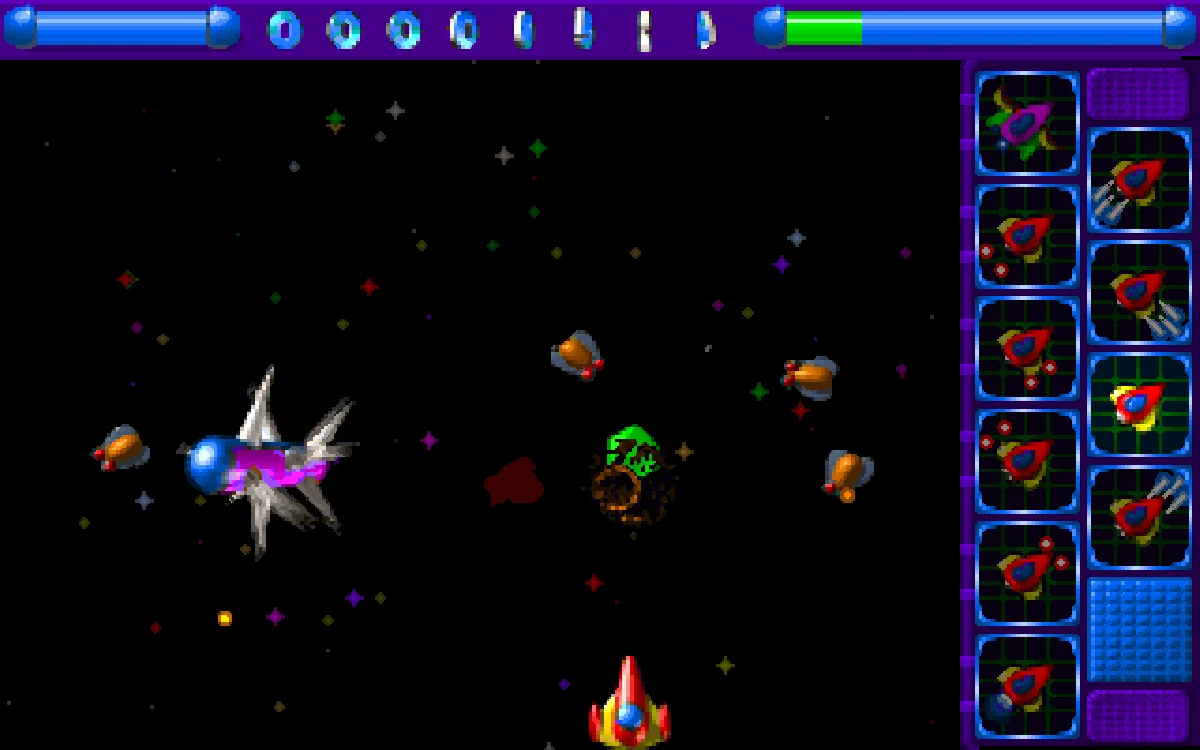
Powermanga is a vertical shoot 'em up in the arcade tradition: your ship sits at the bottom of the screen, waves of enemies swoop in from above, and you blast them before their shots and collisions wear down your energy. The game has 41 waves and more than 60 kinds of enemies, all pre-rendered 3D ships in bright reds, yellows and blues, and every few waves a large guardian fills the top of the screen and soaks up a lot of fire before it goes down.
What makes it more than a simple shooter is the upgrade panel on the right. Destroyed enemies sometimes drop gems, and the green and red ones move a highlight up the panel. When the highlight sits on the upgrade you want, you pick it: more speed, more energy, stronger shots to the front, the sides or the rear, and, at the top, a bigger and tougher ship. Choosing when to cash in and when to keep collecting is a large part of the game.
TLK Games first made Powermanga for Windows and then ported it to Linux, releasing that version as free software in 2000. The team kept improving it for years; in 2007 it moved to the GPL version 3 and replaced the sound effects that were not free.
Playing it here
This is Powermanga 0.93.1, the latest release, compiled for the browser from TLK Games' source code. The game was written for an old version of the SDL library, so we added a small layer that lets it run on SDL2, without changing how it plays. The download is about 8 MB, and the game plays offline once it has loaded. High scores and settings are kept in this browser; clearing this site's data deletes them. The game is in English.
Controls
| Input | Action |
|---|---|
| Arrow keys | move the ship; choose in the menu |
| Space | fire |
| Ctrl or keypad 2 | pick the highlighted upgrade |
| Enter | start from the menu; also fires during play |
| P | pause |
| Escape | back to the menu |
| Ctrl+S | music on or off |
| Page Up / Page Down | volume up / down |
| Ctrl+Q | end the current game |
The keypad also steers the ship (4, 6, 8 and 5) and fires (0).
The gems
Green gems move the highlight in the upgrade panel up one box, and red gems move it up two. Once you pick an upgrade, the highlight goes back to the bottom.
Pink gems refill your energy. If your energy is already full, a pink gem sets off a blast that destroys every enemy on the screen.
Yellow gems add protection balls that circle your ship and protect it. Collect six and the next yellow gem gives you a special weapon.
Blue gems multiply the points for each enemy by 2, and a second one by 4; the multiplier shows on the panel.
Tips
Don't rush to the top. A bigger ship holds more energy, but switching to it costs you your protection balls, one level of weapon power and your score multiplier. Spending the first gems on firepower and energy usually pays off more.
Losing a ship is not always the end. If your energy runs out after an upgrade, you drop back to the ship you had before instead of losing a life, so a big ship works as a safety net.
Watch the bars at the top. The bar on the right is your energy; the one on the left is a guardian's, so you can see how close a boss is to breaking up.
Keep moving sideways. Many enemies dive straight at you or fire aimed shots, and staying in one place is the quickest way to lose energy.