
 Portugues
Rusty's Mini Golf
Saved games stay in this browser only.
About the game
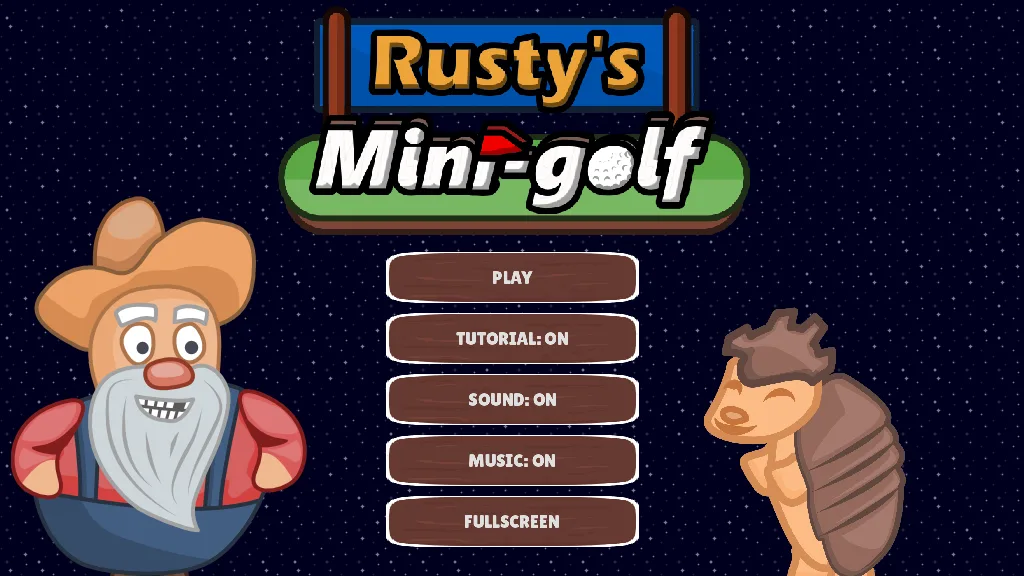
Eighteen courses, one ball and a bearded old man in dungarees who watches over the greens. Rusty's Mini Golf is a top-down, pixel-art mini-golf game: every course is a small island or a strip of fairway seen from above, and the goal is the oldest one in the sport, to put the ball into the hole with as few strokes as possible.
The first holes are friendly, and then the courses start to fight back. There are walls that make the ball bounce, sand that halves the power of your next shot, water that swallows the ball and puts it back where it was before the stroke, blocks that slide back and forth across the fairway, and windmill blades that sweep the lane at the worst moment. Each course gives you one, two or three stars depending on how few strokes it took, and the levels are on a map of islands, so you can see how you are doing: finishing a course unlocks the next island, and you can go back to improve a bad round.
The game was made by a single developer, who also composed the two music tracks, and the courses are short and crisp, built to be replayed. This web version has the same eighteen courses and the same rules, with one small change you will probably notice: the fonts and the sound effects are new, because the original ones could not be redistributed.
Playing it here
Click Play and wait for the game to load (about 20 MB, downloaded only when you press the button). The game is played with the mouse alone. Pick a course on the map; the first time, a short tutorial shows you how to hit the ball (you can turn it off in the menu).
Controls
| Input | Action |
|---|---|
| Hold the left button and move the pointer away from the ball | aim: a line shows the direction, and its length and colour (yellow, coral, orange, red) show the power |
| Release the button | hit the ball |
| Z or the zoom button | switch between the whole course and a view that follows the ball |
| Menu buttons | start, toggle the tutorial, the sound and the music, and full screen |
Tips
Short strokes win. A gentle tap (a yellow line) is often better than a full-power shot, because a strong ball bounces off the walls and ends up somewhere worse.
Learn the bounces. The ball keeps its angle when it hits a wall, so you can aim at a wall to reach a hole that is hidden behind a corner.
Wait for the windmill. The blades turn at a steady pace. Watch one turn, then hit when the lane is open.
Avoid the water and the sand. Water sends the ball back to where it was, and the shot counter keeps the stroke. Sand halves the power of the shot, so plan the line to stay out of it.
Replay for the stars. The scoreboard shows how many strokes you need for the next star, and the map keeps your best result for each course while the page stays open.
FAQ
Do I need a keyboard? No, only the mouse. The Z key just changes the camera.
Is my progress saved? No. The game keeps your stars only while the page is open, so each visit starts at the first course, and finishing a course unlocks the next one on the map.
Why are the sounds different from the original game? The original sound effects and the font did not come with a licence we could pass on, so this version uses sounds and a font that are free to share.
Is it free to share? Yes. The game is under the BSD 2-Clause licence, and the source of this build is linked from this page.
Credits and licence
Rusty's Mini Golf was made by Sleeping Colossus with Godot, Aseprite, Audacity and FL Studio, and is released under the BSD 2-Clause licence (Copyright (c) 2023 Sleeping Colossus). The font is Lilita One (Copyright (c) 2011 Juan Montoreano), under the SIL Open Font License 1.1. The nine sound effects in this version were synthesised for it by FredyGames and released to the public domain. The menu no longer has the links to the author's social networks, and the raw sound recordings were left out of the source. It runs on Godot Engine 4.4 (MIT); the project is from Godot 4.1. The licence texts, the notices of the libraries inside the Godot engine and the source of this build are linked from this page.