
 Portugues
Flood (Simon Tatham's Puzzles)
Saved games stay in this browser only.
About the puzzle
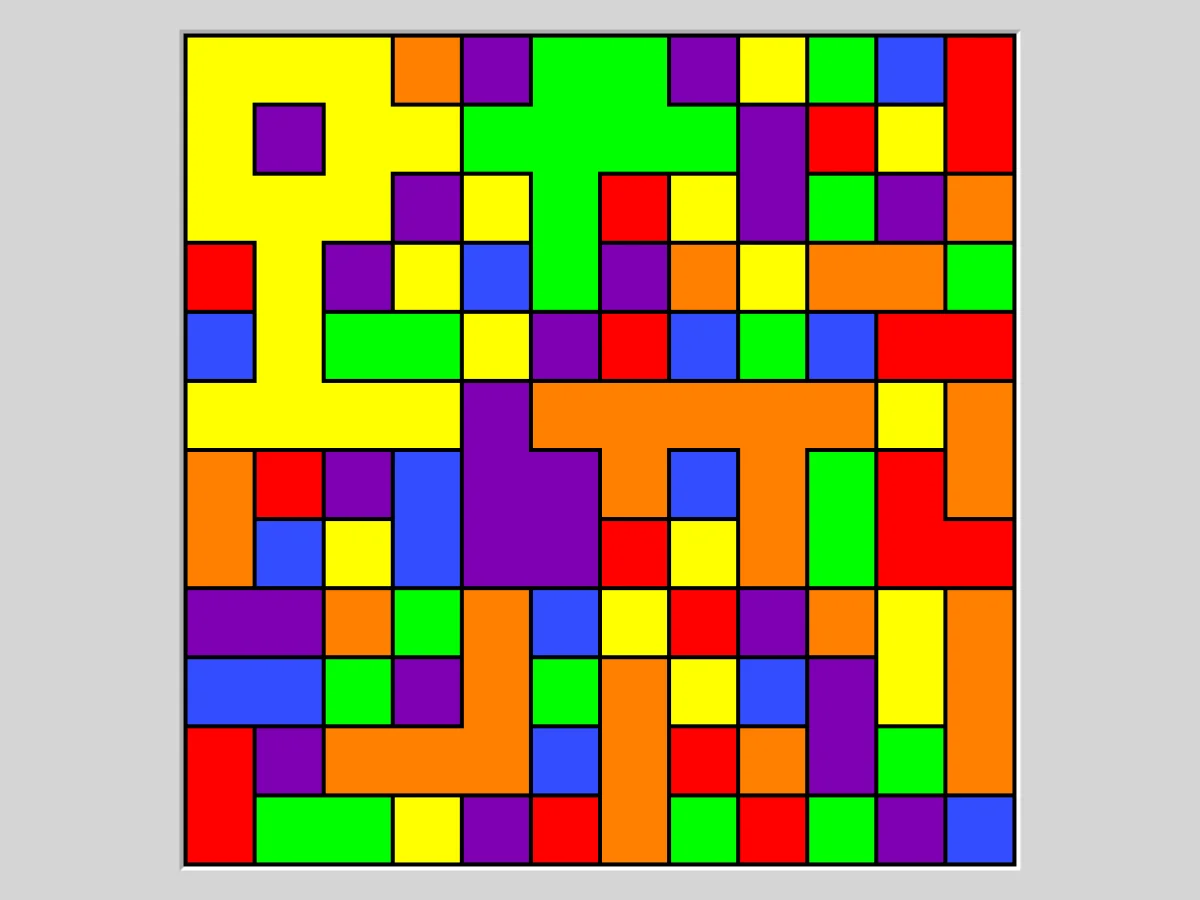
Flood begins as a patchwork of coloured squares. The top left corner is your starting point: each move, you pick a colour, and the region connected to that corner is repainted in it, swallowing every neighbouring patch of the same colour. The region grows move by move until it covers the whole board.
The catch is the move limit. When it makes a grid, the game runs its own solver and gives you that many moves, plus a few extra on the easier settings. Simon Tatham found the idea in a small online game with a fixed grid and colour count; his version lets you choose both.
Rules
- Each move floods the region attached to the top left square with a colour of your choice. Every square of that colour touching the region side by side joins it.
- Picking the colour the region already has does nothing and costs no move.
- You win when the whole grid is one colour within the move limit shown in the status bar. You can keep going after the limit, but it no longer counts as a win.
Controls
| Input | Action |
|---|---|
| Click on a square | flood the top left region with that square's colour |
| Arrow keys | move the cursor |
| Enter | flood with the colour under the cursor |
| N / U / R | new game / undo / redo |
How to solve it
Count what each colour gains. Before each move, look at the edge of your region and see which colour would bring in the most squares. Greedy choices are a good start but not always enough.
Aim for the far side. It often pays to drive a corridor across the board early, so that the region touches many patches at once, rather than polishing the area near the corner.
Watch for colours that run out. When a colour no longer appears anywhere outside your region, it is finished; the last few moves usually sweep up the colours that remain one after another, so plan to leave as few scattered ones as possible.
Use undo as a probe. Trying a move and undoing it costs nothing, and on the hard settings, where you have no spare moves, comparing two or three alternatives is part of the game.
Sizes and difficulty
The Type menu has 12x12 grids at Easy, Medium and Hard, which give you five, two or no extra moves over the solver's count, 16x16 at Medium and Hard, and 12x12 Hard boards with fewer colours. Custom sets the size, from three to ten colours and the number of extra moves. For a real challenge, set the extra moves to zero and try to finish in fewer moves than the limit.
Playing here
Click Play to open the puzzle. The menu above the board has New game, Restart, Undo, Redo and Solve (which you can undo to keep going on your own), the Type menu with the sizes, and the Game menu, where you can type in a game ID or a random seed, download the current game as a file, load a saved file and change the preferences. Your game in progress is kept in this browser and comes back with its whole undo history the next time you open the page.
On a touch screen, just tap a square of the colour you want.
Credits and licence
Flood is part of Simon Tatham's Portable Puzzle Collection, written by Simon Tatham with code contributed by several other authors, and distributed with its source code under the MIT licence. This page runs a WebAssembly build made by FredyGames from the author's official source snapshot, with no changes to the puzzle; the source and the build script are hosted with the game, and the licence text is linked from this page.