
 Portugues
Light Up (Simon Tatham's Puzzles)
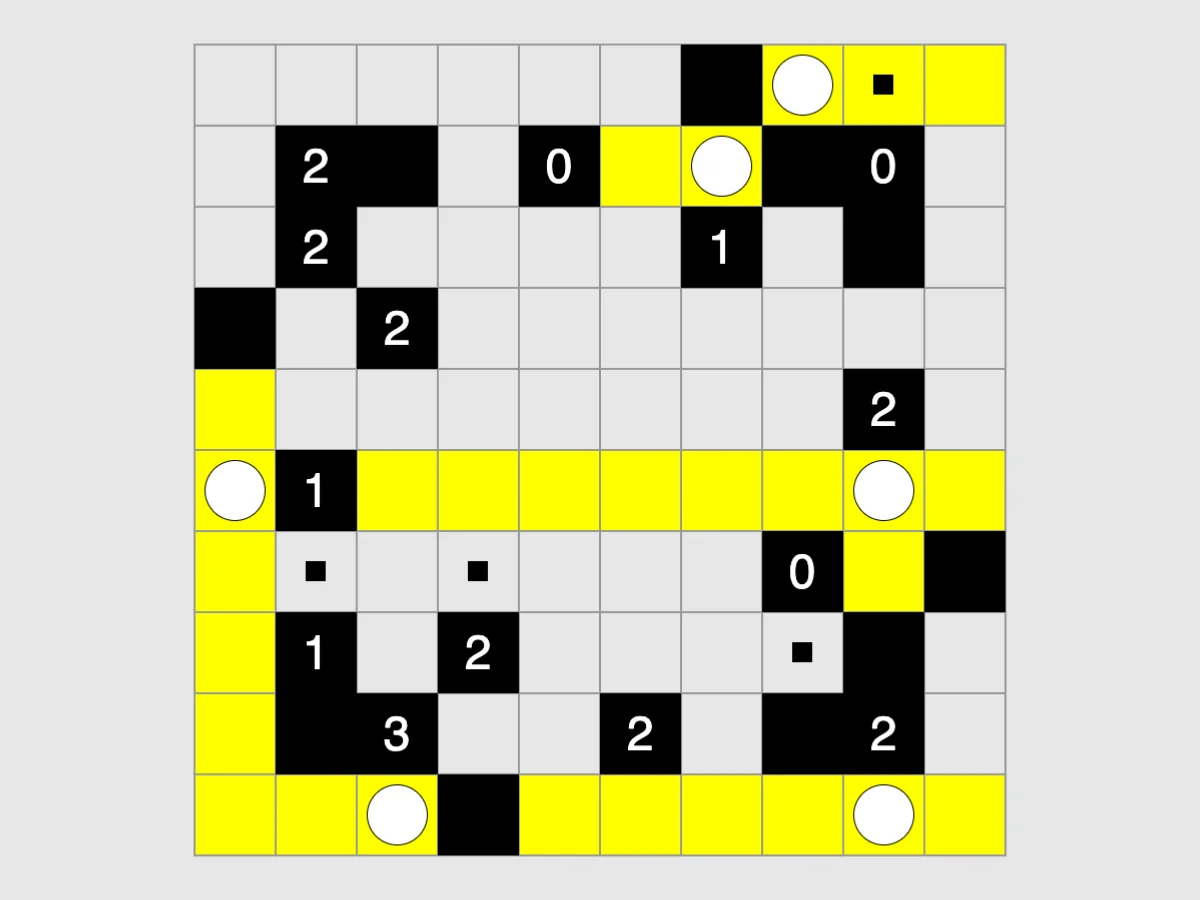
Saved games stay in this browser only.
About the puzzle
Light Up gives you a grid of white squares with some black walls. Some of the walls carry a number. Your task is to place light bulbs on white squares so that the whole grid is lit. A bulb lights its own square and shines along its row and column in all four directions until a wall stops it.
The catch is that bulbs are not allowed to see each other, and the numbered walls say exactly how many bulbs sit next to them. The puzzle comes from the Japanese publisher Nikoli, where it is called Akari; James Harvey wrote this version for Simon Tatham's collection in 2005.
Rules
- Every white square must be lit.
- No bulb may be lit by another bulb: two bulbs in the same row or column must have a wall between them.
- A numbered wall must have exactly that many bulbs in the four squares above, below, left and right of it.
- Walls without a number can have any number of bulbs around them.
Lit squares turn yellow. Mistakes the game can see for certain, such as two bulbs facing each other or a number with too many bulbs, are shown in red.
Controls
| Input | Action |
|---|---|
| Left click | place or remove a bulb |
| Right click | place or remove a mark (a reminder that this square holds no bulb) |
| Arrow keys | move the cursor |
| Enter / Space | act as the left / right button on the cursor |
| N / U / R | new game / undo / redo |
You cannot put a bulb on a marked square, nor a mark on a lit one.
How to solve it
Start with the 4s and the 0s. A 4 needs bulbs on all four sides. A 0 needs none, so mark all its neighbours. A 3 against the edge of the grid, or a 2 in a corner, is just as certain.
Numbers with exactly enough room. Any numbered wall whose free neighbours equal its number gets bulbs in all of them. When a number is already satisfied, mark the rest of its neighbours.
Look for squares only one bulb can reach. A white square that is boxed in, where every spot that could light it except one is marked or forbidden, needs a bulb in that last spot.
Use marks generously. Marks are how you record what you have ruled out. They turn the hard part of the puzzle, remembering, into the easy part.
Corners of a 3 stay dark. The four squares diagonally next to a 3 can never hold a bulb: whichever side of the 3 is left empty, a bulb on one of the other sides would shine on that diagonal square. Mark them straight away.
Sizes and difficulty
The Type menu offers 7x7, 10x10 and 14x14 grids, each at easy, tricky and hard. Easy puzzles can be solved without any guesswork; hard ones may need you to try a bulb and see where it leads. Custom sets the size, the rough percentage of black squares, the symmetry of the walls and the difficulty. In Preferences you can choose whether marks stay visible on squares that have become lit.
Playing here
Click Play to open the puzzle. The menu above the board has New game, Restart, Undo, Redo and Solve (which you can undo to keep going on your own), the Type menu with the sizes, and the Game menu, where you can type in a game ID or a random seed, download the current game as a file, load a saved file and change the preferences. Your game in progress is kept in this browser and comes back with its whole undo history the next time you open the page.
On a touch screen, a tap places a bulb; turn on the Mark button above the board to place marks with your taps.
Credits and licence
Light Up was written by James Harvey for Simon Tatham's Portable Puzzle Collection, which Simon Tatham maintains with code contributed by several other authors and distributes with its source code under the MIT licence. This page runs a WebAssembly build made by FredyGames from the author's official source snapshot, with no changes to the puzzle; the source and the build script are hosted with the game, and the licence text is linked from this page.