
 Portugues
Mosaic (Simon Tatham's Puzzles)
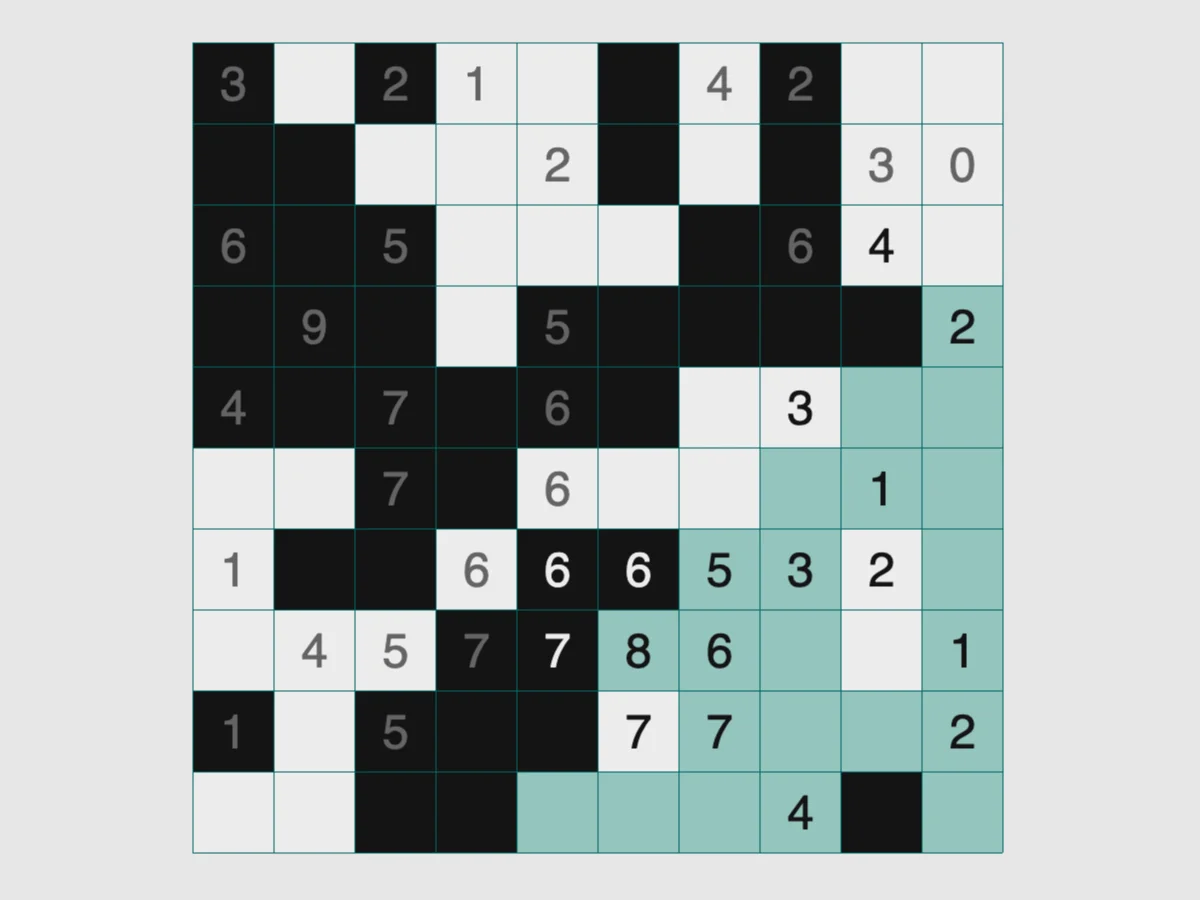
Saved games stay in this browser only.
About the puzzle
Mosaic is played on a grid sprinkled with numbers. Every square must end up black or white, and each number tells you how many black squares there are in the 3x3 block centred on it, counting the numbered square itself. A 0 means the whole block is white; a 9 means it is all black.
The puzzle is found in puzzle books around the world under a long list of names, and Simon Tatham's manual lists more than a dozen of them. Didi Kohen contributed this version to the collection, with colours designed by Michal Shomer.
Rules
- Every square is either black or white.
- Each clue equals the number of black squares in the 3x3 block around it, including its own square. Clues on the edge or in a corner count the smaller block that fits inside the grid.
- Squares without a clue can be either colour, as long as all the clues are satisfied.
Controls
| Input | Action |
|---|---|
| Left click | empty to black, then white, then empty again |
| Right click | empty to white, then black, then empty again |
| Hold and drag | colour several squares in one go |
| Arrow keys | move the cursor |
| Enter / Space | act as a left / right click on the cursor's square |
| Backspace | empty the square under the cursor |
| N / U / R | new game / undo / redo |
How to solve it
Zeros and full blocks first. A 0 makes its whole block white, and a 9 (or a 6 on an edge, a 4 in a corner) makes it all black. These give you a foothold at once.
Clues that are already satisfied. When a clue already has its number of black squares, the rest of its block is white; when its empty squares are exactly as many as the blacks still missing, they are all black.
Compare neighbouring clues. Two clues side by side share six squares of their blocks. If one is 7 and the other 4, the three squares that only the first one sees must hold at least three blacks, so they are all black, and the three only the second one sees are white.
Mark white as you go. White squares are as important as black ones. Right clicking a square white makes the remaining counts much easier to read.
Sizes and difficulty
The Type menu has square grids of 3x3, 5x5, 10x10, 15x15, 25x25 and 50x50. Custom sets any width and height and turns aggressive generation on or off; with it on, the generator removes more unnecessary clues, which makes the puzzle harder but takes longer on large grids.
Playing here
Click Play to open the puzzle. The menu above the board has New game, Restart, Undo, Redo and Solve (which you can undo to keep going on your own), the Type menu with the sizes, and the Game menu, where you can type in a game ID or a random seed, download the current game as a file, load a saved file and change the preferences. Your game in progress is kept in this browser and comes back with its whole undo history the next time you open the page.
On a touch screen, tap or drag to colour squares black; turn on the Mark button above the board to colour them white.
Credits and licence
Mosaic was written by Didi Kohen for Simon Tatham's Portable Puzzle Collection, which Simon Tatham maintains with code contributed by several other authors and distributes with its source code under the MIT licence. This page runs a WebAssembly build made by FredyGames from the author's official source snapshot, with no changes to the puzzle; the source and the build script are hosted with the game, and the licence text is linked from this page.