
 Portugues
The Powder Toy
Saved games stay in this browser only.
About the game
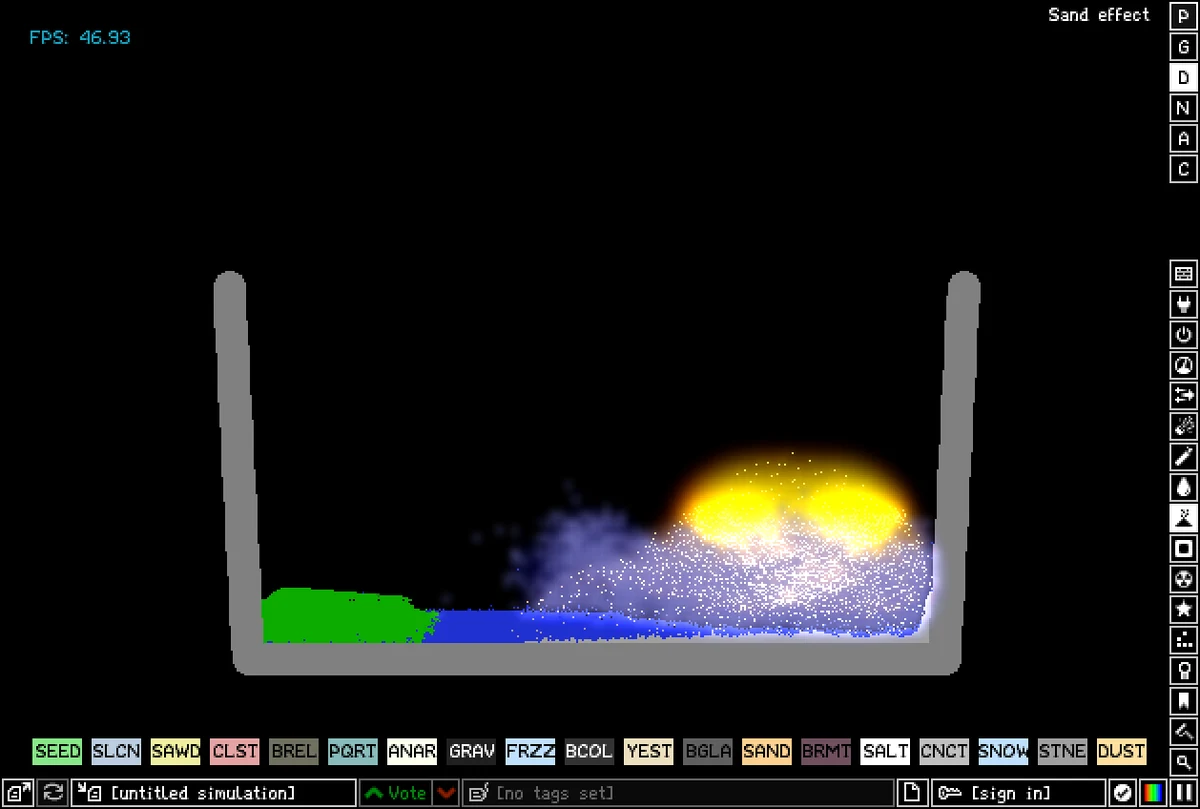
The Powder Toy is a falling-sand physics sandbox. There are no levels and no score: you get an empty field and nearly two hundred elements, and the game works out what happens when they meet. Water flows and evaporates, lava melts the metal it touches and cools into stone, fire spreads through wood and oil, plants drink water and grow, and gases spread out and mix.
Under the particles the simulation also tracks air pressure and wind, heat, and electricity. Explosions push air outward and knock things over, hot materials warm their neighbours until they melt or boil, and sparks travel along metal and silicon. With those pieces players have built pumps, engines, logic gates, whole computers and reactors, and the same toolbox works just as well for simply setting things on fire.
The original Powder Toy was written by Stanislaw K Skowronek in 2008. It has been free software since then, and a team of volunteers led by Simon Robertshaw and jacob1 has kept adding elements, tools and fixes ever since.
Playing it here
This is version 100.1 of The Powder Toy, the latest stable release, compiled for the browser from the project's source code. The download is about 6 MB.
This build has no network access, so the parts of the game that talk to the official server do not work here: browsing and voting on other players' saves, signing in, uploading, comments and the script manager show an error or do nothing. Everything else is the full game. Saves made with the save button at the bottom left, stamps and settings stay in this browser; clearing this site's data deletes them. The game is in English.
Controls
| Input | Action |
|---|---|
| Left / right mouse button | draw with the two selected materials |
| Mouse wheel, [ and ] | change the brush size |
| Tab | switch between a circle, square and triangle brush |
| Shift + drag | straight line |
| Ctrl + drag | filled rectangle |
| Space | pause and resume |
| F | advance one frame |
| Ctrl + Z / Ctrl + Y | undo / redo |
| E | search elements by name |
| 0 to 9 | view modes (heat, pressure, and others) |
| S, L, K | save a stamp, place the last stamp, open the stamp library |
| N | turn Newtonian gravity on and off |
| H | hide or show the information at the top |
| F1 | show or hide the help text |
Getting started
Pick something from the menus. The icons down the right edge open the element groups: walls, electronics, explosives, gases, liquids, powders, solids, radioactive materials, special elements, Game of Life cells and tools. Hover over an icon and the row at the bottom fills with that group; hovering over an element shows what it does. The left mouse button and the right mouse button each hold their own material.
Draw and watch. Paint some sand, then some water next to it, and see the two settle. Then add fire, lava or salt and keep experimenting. Space pauses the world whenever you want to build something carefully, and F lets you step through what happens one frame at a time.
Save your work. The save button at the bottom left (the long box with the name of the simulation) saves the field in this browser. To open your saves later, hold Ctrl and click the open button in the corner.
Tips
Build a container first. Liquids and powders fall off the bottom and sides of an empty field. A U shape of brick (BRCK) or a wall from the Walls menu keeps them in place.
Look at the hidden numbers. The view modes on the number keys show pressure, temperature and other data instead of the particles, and the text at the top right always tells you what is under the cursor, with its temperature and the air pressure there.
Power things with sparks. SPRK, from the Electronics menu, is a jolt of electricity. Touch a line of metal (METL) with it and the spark runs along the whole line, turning on whatever is connected at the far end.
Mind the brush. Big brushes are fast but crude. For machines, zoom in with Z, use small brushes and the line and rectangle tools, and pause while you work.