
 Portugues
Top Hop
Saved games stay in this browser only.
About the game
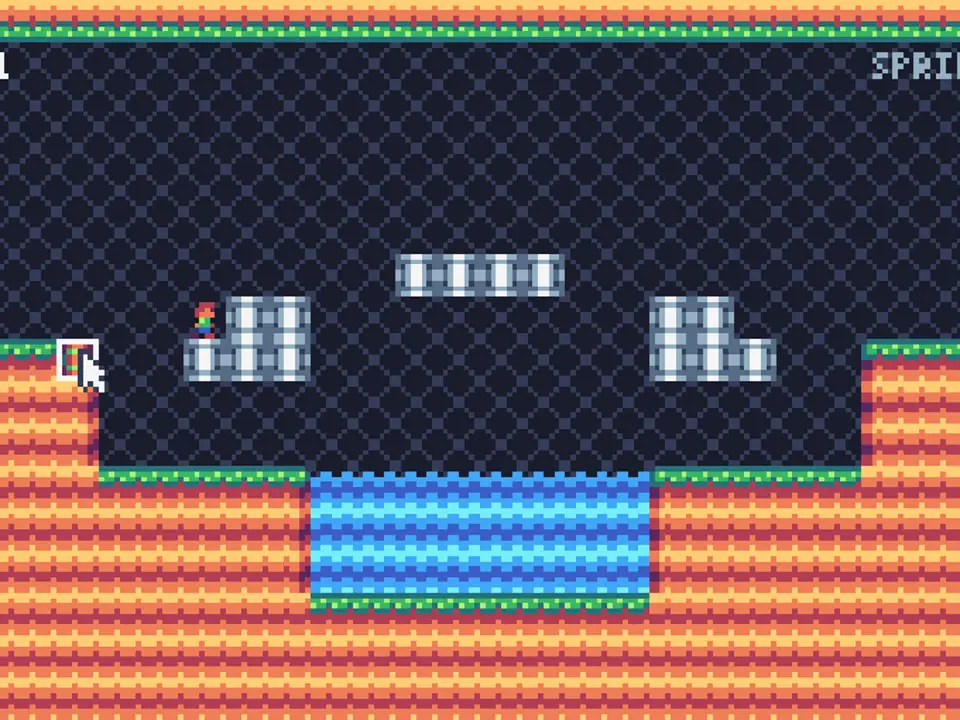
Max walks forward, and that is all he does. He cannot jump. He cannot swim. Between him and the exit there is a pit of water, a wall, a ledge that is a little too high. The only thing you control is where the springs go.
You have three of them in each level. Click on a grassy tile of the ground and a spring appears there; when Max steps on it, he is thrown into the air and carries on forwards for the length of the jump. Aim it well and he lands on the other side. Aim it badly and he lands in the water, and the level restarts. Springs are not used up: if Max is not on his way up, you can click a placed spring to take it back and use it again further along. Plan the order, because you only ever hold three.
Top Hop has eight short levels, each one screen wide, with a soundtrack and a small ending. The later levels ask you to chain springs one after another. A run takes ten to twenty minutes.
Playing it here
Top Hop was written for TIC-80, a fantasy console: an imaginary 1980s-style computer with a 240 by 136 screen and 16 colours, for which independent developers write new games. It was the first of several versions of the same game, which its author later ported to other fantasy consoles; this is the original, and it runs here in the official TIC-80 web player.
Click Play, wait for "Click to start" and click again, then press Z at the title screen. The title screen shows the name "Mega Sparkmaster", the name its author publishes under. Max starts walking as soon as the level begins, so place your first spring quickly or pause with Z. The game is played with a mouse and the Z key, so a keyboard and a mouse are the best way to play. Nothing is saved. Esc opens the TIC-80 menu. The game has sound and music, and its text is in English.
Controls
| Input | Action |
|---|---|
| Z (button A) | start the game; pause and resume; return to the title after the ending |
| Left click on a grassy ground tile | attach a spring |
| Left click on a placed spring | take it back (when Max is not going up) |
| Esc | TIC-80 menu |
Z, on the TIC-80, is the A button; the title screen also says "A/Z".
A few things worth knowing
Pause to plan. Pressing Z freezes Max, so use it whenever you need a moment to work out where the springs should go.
Springs only go on some tiles. The grassy tops of the ground work; water and the floating blocks do not, and a cursor box shows which tile you are pointing at.
Take a spring back. If Max has already jumped over a spring, you can lift it and put it further on, which is how the later levels are done.
Credits and licence
Top Hop was created by Mega Sparkmaster, the name used by Christopher Kleine, who published the project's repository with all versions of the game. It is free software under the GNU General Public License version 3. The source code of the exact game served here, and the script that turns it into a TIC-80 cartridge, are hosted alongside it and linked from the licences page. It runs here in the TIC-80 web player (MIT licence). The licence text is linked from this page.