
 Portugues
Word Tracer
Saved games stay in this browser only.
About the game
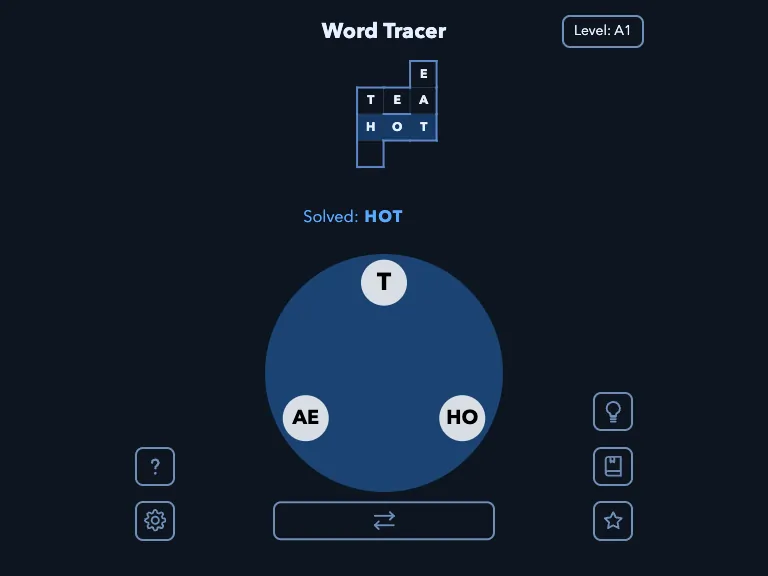
Word Tracer is a crossword that you fill by spelling. The board at the top is a small grid of hidden words that cross each other, and the wheel at the bottom holds the pieces you can build them from. The twist is that the pieces are not single letters: they are tokens of one or more letters, like T, OH and EA, and a word is made by swiping from token to token. To spell EAT you start on EA and end on T. Every token can be used once per word, and a word is made from at least two of them.
The words go down or to the right, like in a crossword, so solving one reveals some letters of the words that cross it. When you cannot find a word, the lengths and the letters already shown narrow the search, and the hint button gives a clue to one of the unsolved words. Besides the words on the board there are bonus words, real words that the wheel can spell but that are not part of the grid; finding them is optional.
The first levels are tiny, with three tokens and three words, and the later packs go up to seven tokens and bigger boards. There are more than two thousand levels in dozens of packs, and the Level button at the top lets you move between them: the early packs are easier and the later ones are harder. A built-in dictionary lets you look up a word you have just found, which is a good way to learn the odd ones.
Paul Hoskinson made Word Tracer in 2026. It is built with plain TypeScript and CSS, and the levels were generated by his own scripts from open word lists. The game and its words are in English.
Playing it here
Click Play. The welcome screen explains the basics; close it with the X. Press down on a token of the wheel, drag to the next one and lift your finger or the mouse button to send the word. If the word is on the board it appears there, and if it is a bonus word it is counted separately. The swap button below the wheel flips the order of the letters in every token that has two or more: that is how OH becomes HO, which you need to spell HOT. The settings button has an option to keep the hint always visible, and buttons to reset the level or all your progress. Your progress is saved in this browser.
Controls
| Input | Action |
|---|---|
| press, drag across the wheel, release | spell a word from the tokens and submit it |
| swap button (under the wheel) | reverse the letters of every token with two or more letters |
| lightbulb | show a hint for an unsolved word |
| book | look a found word up in the dictionary |
| Level button (top right) | choose a level pack and level |
| ? button | open the instructions again |
Tips
Start with the short words. The three-letter ones on the board are the easiest to guess and they give you letters for the longer words that cross them.
Use the swap button. If a word will not come out, try swapping the tokens: many words need a pair of letters the other way round.
Read the crossings. A letter that is already shown fixes a position, so ask which token could sit there.
Try the dictionary. Looking up a word you found by luck makes the next puzzle of the pack easier.
FAQ
Is there a time limit? No. You can take as long as you want.
Does it need the internet? No. The levels and the dictionary are in the page, and the game makes no requests to other sites.
Where is my progress? In this browser, on this device. Clearing the site data removes it.
Can I play in another language? No, the words and the interface are in English.
Credits and licence
Word Tracer was written by Paul Hoskinson and is released under the MIT licence. The levels were generated from the Re-Enable word list (MIT), the Wikipedia word frequency list (MIT), the wordfreq project by Robyn Speer (Apache-2.0 code, CC BY-SA 4.0 data) and a profanity blocklist (WTFPL); the in-game dictionary uses definitions from Webster's Unabridged Dictionary (public domain, Project Gutenberg) and from WordNet 3.0, Copyright 2006 by Princeton University, whose licence is reproduced in full in the licence file linked from this page. The game was built from the author's source; the changes made for this site are a rule that blocks any request to other sites and the GitHub link of the settings screen turned into text. The complete source, with the data, the patch, the build script and the licence texts, is linked from this page.