
 Portugues
Rogue
Saved games stay in this browser only.
About the game
Rogue is where the roguelike genre started. Michael Toy and Glenn Wichman wrote it around 1980 as students at the University of California, Santa Cruz, on a Unix minicomputer, and Ken Arnold, at Berkeley, contributed the screen library, called curses, that lets a program draw anywhere on a text terminal. The game spread through university Unix systems and then shipped with BSD Unix, which is how a generation of programmers lost afternoons to it. Hack, NetHack, Angband and many others copied its idea, and "roguelike" became the name for the whole family.
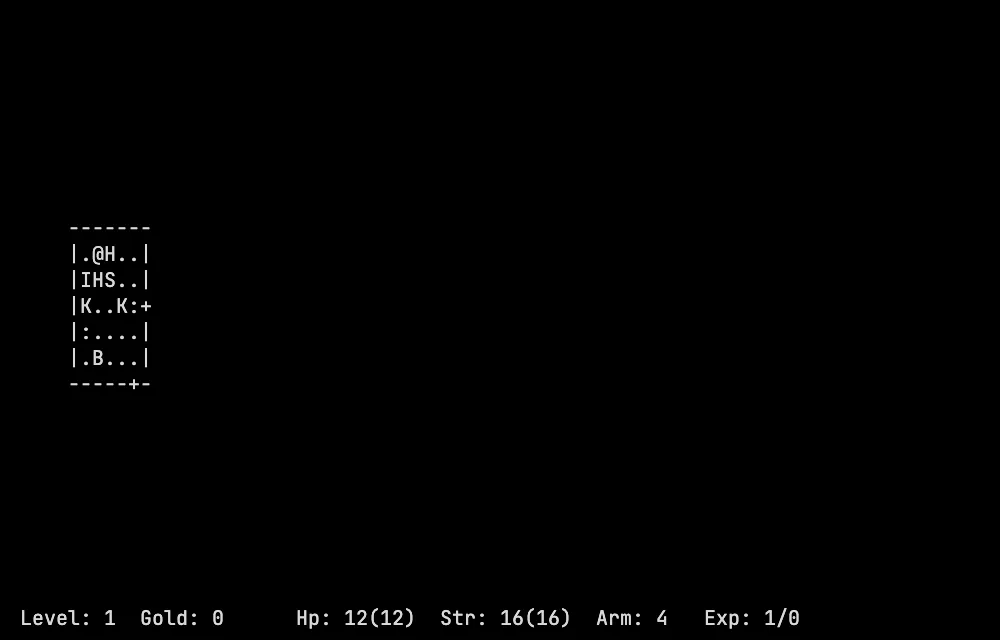
You are a lone adventurer, an @ sign, in the Dungeons of Doom. Somewhere below, on the 26th level, lies the Amulet of Yendor. Take it and you must climb all the way back up to the surface to win. Every level is built at random when you arrive: rooms joined by corridors, doors, hidden passages, traps, and monsters that are single letters, from the harmless bat to the dragon. You wear ring mail and carry a mace, a short bow with some arrows and a ration of food, and that is all you have.
There is one life and no save to go back to. When your character dies it is gone, and you start again with a new dungeon. The game is about taking risks you can afford: potions, scrolls, wands and rings come unnamed, so a red potion or a scroll called "xyzzy plugh" is a gamble until you try it. You also get hungry, and food runs out if you dawdle. Your score is the gold you carry out or die with.
Playing it here
This is Rogue 5.4.4, the version of the original game that has been kept working on modern systems, compiled for the browser from its source code. It is the game as it was, with no extra features, drawn on a text screen in your browser. There is no sound. Saving ends the session, as in the original: press S and confirm with y, and the game picks the saved character up on your next visit, when the save is used and removed. The best scores are kept too. Everything stays in this browser. The game is in English and needs a keyboard (touch screens get on-screen keys).
Controls
| Key | Action |
|---|---|
| h j k l or arrow keys | move left, down, up, right (and attack) |
| y u b n or Home, PgUp, End, PgDn | move diagonally |
| Shift + direction | run that way |
| Ctrl + direction | run until something interesting |
| f, then a direction | fight until one of you is nearly dead |
| s | search for traps and hidden doors |
| > and < | go down or up a staircase |
| , | pick something up |
| i, I | inventory, one item |
| q, r, e | quaff a potion, read a scroll, eat |
| w, W, T | wield a weapon, wear armor, take armor off |
| P, R | put on, remove a ring |
| t, z | throw something, zap a wand |
| d | drop |
| . | rest for a turn |
| D, c | what you have discovered, name an object |
| Ctrl+R | redraw the screen |
| S, Q | save the game and stop, give up |
| ? | the list of all commands |
Tips
Eat when you are "Hungry". The status line shows it. Food is on the floor, but not forever, so do not spend ages on one level.
Try new items in a safe place. Potions and scrolls can help or hurt. Read a scroll while no monster is near, and keep a potion you suspect is healing for later.
Rest to heal. Use the period key for a few turns when nothing is chasing you; the character recovers slowly.
Fight in a corridor. In a room, several monsters can reach you at once; in a corridor, only one or two.
FAQ
How do I save? Press S, then y. The game ends and your character is waiting the next time you open the page. The save is removed when you load it, so one save per browser.
Why does the screen look like old text? Because that is the game: every letter is a monster, a symbol is an item, and the dots and dashes are the floor and the walls of the rooms.
Do I need a keyboard? Yes. On a phone or tablet you get on-screen arrows and a few keys, and the Aa button opens the keyboard.